Identify |
  
|
Identify |
|
The 'Identify' tool supports any query for an object selected by simply clicking on it on the map display.
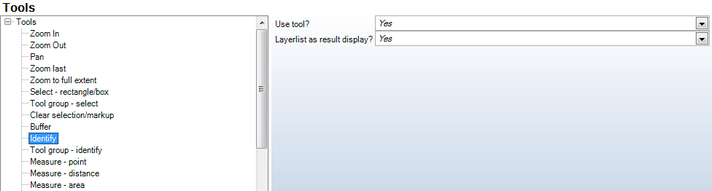
Identify tool - WebOffice category
Properties |
Description |
Use tool? |
Control if this tool is available in the WebOffice 10 R3 Client or not. |
Layerlist as result display? |
Specifies the type of display of the identify tool. 'Yes' (default) displays the number of features per layer directly on the map. 'No" displays all features in the WebOffice 10 R3 object browser. |
Identify tool - WebOffice category
Using the tool form, the user has the option to choose, whether to select and 'identify' certain themes or visible themes only.

Identify tool in WebOffice 10 R3 client
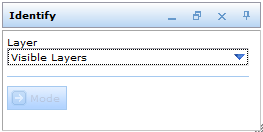
Identify tool form
The user has the option to select 'Visible Layers' from the drop down menu in the "Identify' tool window. The one-click information allows the user to retrieve information in a separate window besides the one-click pin, or in a feature/object list at the bottom of the map window.
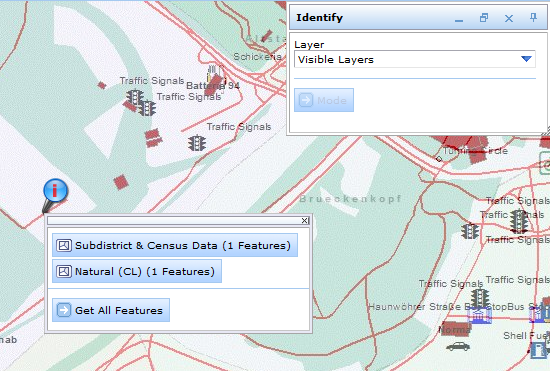
Identify objects of different themes at the click-information-point
See also chapter "Layer Queries" for prerequisites to make the 'Identify' functionality available on a specific Layer.
Note: See chapter ArcGIS Server Map Service to configure a quick an easy "Identify" functionality based on the map service. No layer configuration is needed, instead the ArcGIS layer properties (layer name, visible fields, field order) get used.