Delete a Feature |
  
|
Delete a Feature |
|
Note:
To be able to edit existing features in terms of changing the geometry or attributes you need to configure edit tools and layers in the WebOffice 10 R3 project. For detailed information see chapters Create Edit Layer or Change Edit Layer.
Deleting an existing feature is also accomplished by using the edit feature tool. Select the feature to be deleted, activate the edit feature tool and choose "Delete feature", apply with "Delete". With the mobile client you can only delete single features.
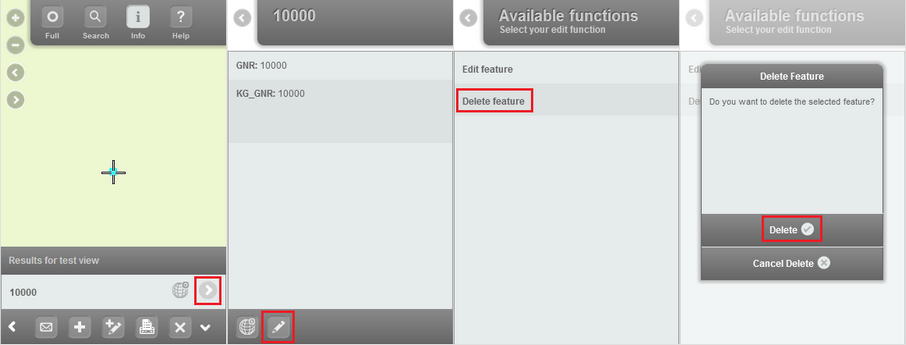
Edit feature tool - delete feature
Note:
In order to delete features within the mobile client, a defined edit action "Delete" is required in the project configuration. Detailed information in chapter List of available Edit Actions.
Note:
An activated user management provides the option to determine whether to physically or logically delete objects. In no user management is used objects will always be deleted physically. Detailed information in chapter Editing Configuration for User Management.