Search Field List |
  
|
Search Field List |
|
The Search field list specifies all search fields available
•For Predefined queries as well as
•In the Query builder form.
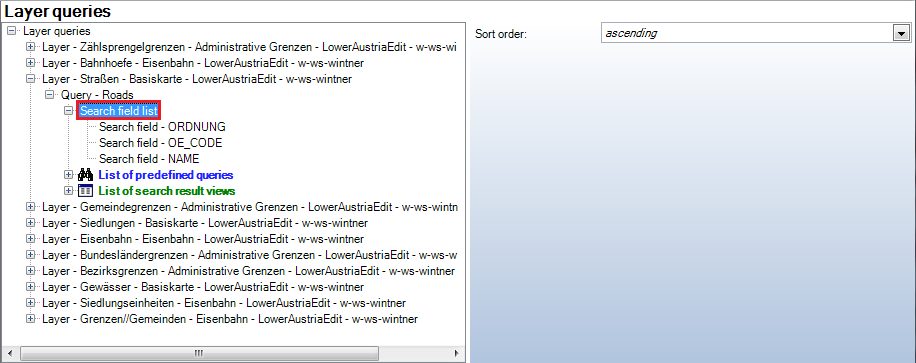
Search field list configuration
Property |
Description |
Sort order |
Specifies the overall Sort order: •ascending or •descending. |
Query builder field list (Search field list) configuration
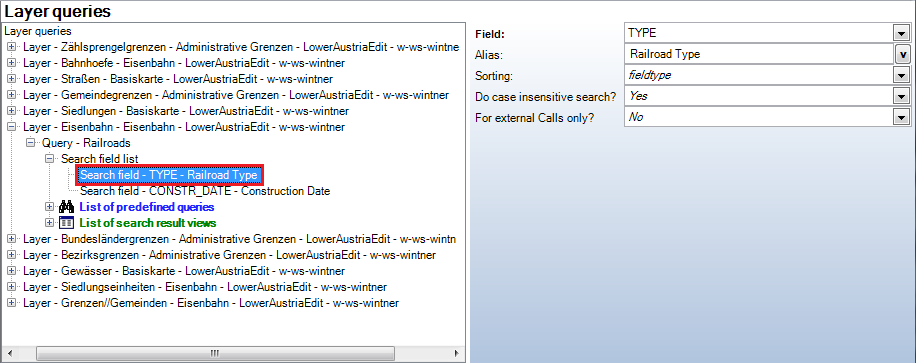
Search field configuration
Property |
Description |
Field |
Search Field. Either a Layer field or a Table field is referenced. |
Alias |
Name (alias) to be used for the search field in the WebOffice client. If a Geodatabase or ArcMap alias exists, this Alias is used by default. In the samples Figure 562 and Figure 563 the Geodatabase Alias ‘Name’ is used for the Search field ‘NAME’. |
Sorting |
Sorting is either done •According to the database field type (fieldtype) or •By means of a specific WebOffice sorting algorithm (for TEXT fields only, especially useful for house or parcel numbers and other alphanumerical values) when using configuration value alphanumeric. |
Do case insensitive search? |
Perform a case insensitive search (Yes) or not (No). If search performance is poor this may be due to case insensitive search mode. Try No then. Note: Querying a table of an Oracle DB case insensitive will disable the attribute index of the table, leading to a performance decrease. A query on a search field (type String) from an Oracle DB only works with indexing if •the query is executed "case insensitive" (Do case insensitive search - No) and •the Oracle Index is a functional index on upper case letters ("function based index" on "UPPER" function).
Note: Case insensitive search on feature classes with Joins in Oracle DBs using NLS_UPPER will only work, if: -The option ‘keep only matching records’ is set on the ArcMap Join -The source table (feature class) and target table (Join table) are from the same data source If these preconditions are not reached, the Join operation will not work. |
For external Calls only? |
Defines whether the search field may only be used for external parameterized calls. If activated, the field is neglected for the query builder and the full-text search. Note: If all defined search fields are defined for external calls only, then the query builder cannot be opened. A warning message will say "The query is not available (no valid search fields). Note: It is possible to check in SynAdmin which search fields are indexed for the full-text search. See chapter How to configure a Full-Text Search for details. |
Search field configuration
i.Lookup
It is possible to specify a List of lookup definitions for each of the Layer or Table configuration elements.
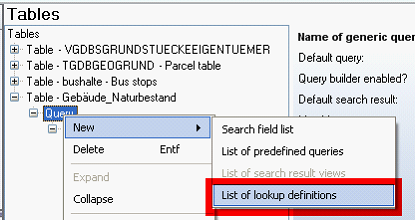
Table - List of lookup definitions configuration
Using the Lookup element it is possible to use Lookup tables.
Lookup is useful for
•Providing support for language specific attributes / fields,
•Providing unique value lists for populating search forms with minimal database usage (if you e.g. have a big address table with fields post code, street and house number, you would need to search the whole address table for providing a list of post codes. If you instead use a Lookup table for providing the list of post codes you need to search the small Lookup table with unique values only).
Below you see a Lookup element which enables the user to select from a list of country names in the Search form Other Cities although search is actually performed on the Layer field FIPS_CNTRY which only contains country codes (e.g. AT, IT, etc) but no country name (e.g. Austria, Italy, etc.).

Other Cities Layer with Country Code (FIPS_CNTRY) field
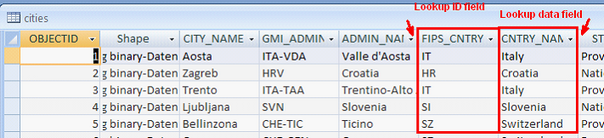
Lookup table with Lookup ID field (FIPS_CNTRY) and Lookup data field (CNTRY_NAME)

Lookup configuration
Property |
Description |
Field |
Specifies the field, Lookup is configured for |
Lookup ID field |
Field of Lookup table used as ID. This field is used for defining the relation (Link) of the base table (Layer) with the Lookup table. Note: The field types of the two ID fields (Layer / table and Lookup table) must be the same. |
Lookup data field |
Field of Lookup table which contains the description values that will get displayed in the WebOffice 10 R3 client. |
Check consistency (search)? |
Specifies whether to check existence of each of the lookup values in the feature class before providing the value to the - search form list box ("Yes") (therefore, there can not exist queries without a result) or not ("No"). The latter is optimum concerning performance. - result ("Yes") (if no lookup equivalent is found the result will display a blank value for the field) or to display no relatable values as IDs ("No"). With the latter configuration, in the case of inconsistencies between data and lookup definition, result values can sometimes show IDs in other cases lookup values. |
Lookup configuration
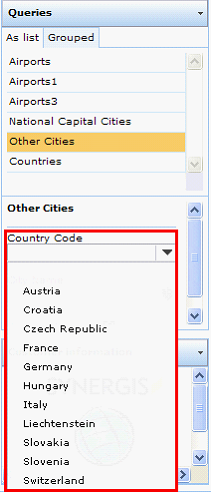
Lookup data field values build the search form value list in WebOffice 10 R3 client
A Lookup element needs some prerequisites:
•A configured Database connection necessary for accessing the database table,
•A configured Table with at least one Search field.
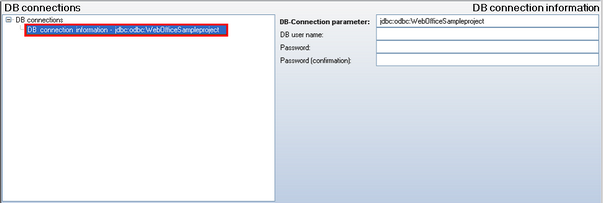
Database connection necessary for accessing the Lookup table
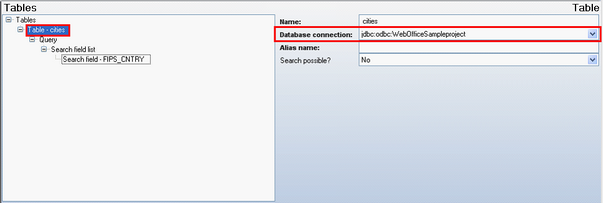
Table configuration with configured Database connection
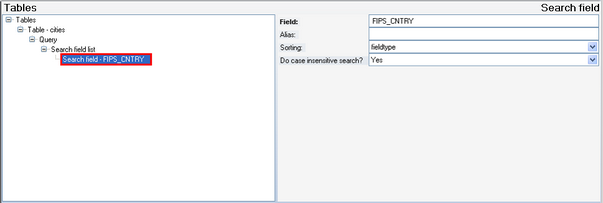
Search field FIPS_CNTRY of 'cities' Lookup Table used as ID field

Lookup element with configured Lookup ID field and Lookup data field
See chapters Database Connection and Tables for more details on Table and Database connection configuration.
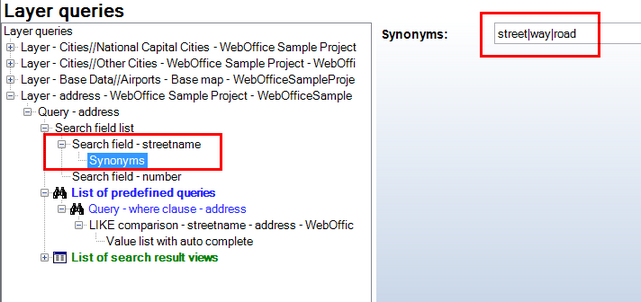
ii.Synonyms
It is possible to specify which words are equivalent for a fuzzy-search. For configuration details see chapter Options.
Synonyms for search field