Export Profile |
  
|
Export Profile |
|
By configuring export profiles in WebOffice author a specific link will be established to the WebOffice extract server configuration files.
There are two supported configuration scenarios:
•You may either configure no Extraction profiles in WebOffice author at all. Then WebOffice 10 R3 will provide all extraction profiles offered by WebOffice extract server extension,
•You can explicitly configure Extraction profiles in WebOffice author. Then WebOffice 10 R3 will only provide the extraction profiles that have been configured explicitly in the WebOffice 10 R3 project configuration, although there might be more offered by WebOffice extract server extension.
Note: To configure an export profile for raster data (GeoTIFF), see chapter Export Profile Raster Data for details.
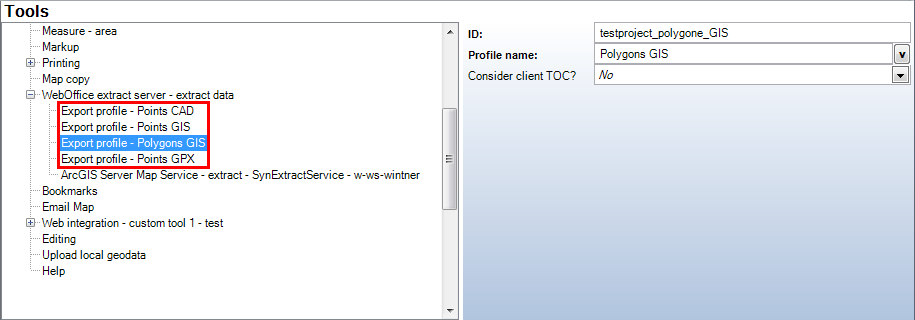
Export profiles - WebOffice category
Property |
Description |
ID |
Profile ID from export configuration files |
Profile name |
Name of extraction profile when using WebOffice extract server (display) |
Consider client TOC? |
Specify whether the layer visibility settings in the TOC (table of content) as well as visibility scale ranges should be taken into account ('Yes') or not ('No').
Note: The consideration of client-TOC is currently only supported together with CAD-Export! Important: Keep the default setting ('No') for default export functionality. Especially if you already have a running export configuration. Setting 'Consider client TOC' to 'Yes' generates a need for further configuration steps. Default export configurations will not work at all anymore! For information on how to configure WebOffice extract server with client TOC consideration, contact web-support@mysynergis.com. |
Export profiles - WebOffice category