Use Mxdperfstat for Diagnosis |
  
|
Use Mxdperfstat for Diagnosis |
|
Mxdperfsatd is a mxd diagnostics tool. It is executable for different scales and provides reports with statistics and recommendations for optimization.
You can download Mxdperfstat here: http://arcscripts.esri.com/details.asp?dbid=16931
The tool is started via the command line with several parameters:
-Mxd name
-Scale: optional
-Coordinates: optional
-Screen width: optional
The mxdperfstat command looks like this:
mxdperfstat -mxd <DocumentName.mxd> [-scale scale1;scale2;...]
[-xy <x;y>] -width <screen width> -height <screen height>
The result of the analysis is stored in an xml file and can be viewed in browser window.
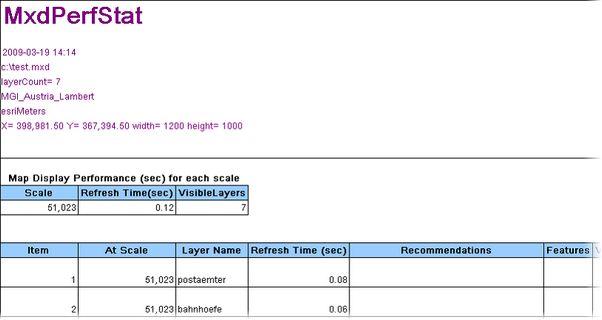
Mxdperfstat analysis result
It is recommended to do one report per data frame for your specified scale levels before serving a mxd.