Step 2 |
  
|
Step 2 |
|
In step 2 you must define the map services to use.
•In input field 'Server' enter the host name of the server machine where ArcGIS Server Standard runs on.
•Press the 'Get services' button for retrieving the map services served by ArcGIS Server.
•Choose the right map service from 'Available services' (the currently opened ArcMap document and the chosen map service should correspond to each other, i.e. the map service should have been published with the currently opened ArcMap document).
•Choose from 'Dataframes' the data frame you primarily want to use for map display and queries.
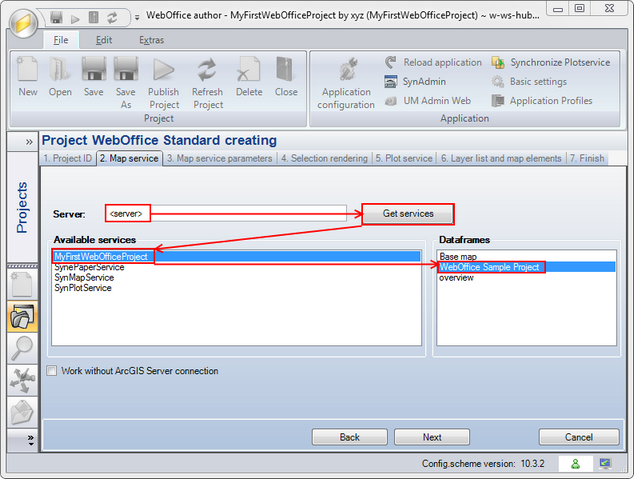
Create WebOffice Project wizard - Step 2
Note: If you start creating your WebOffice 10 R3 project locally (without available connection to ArcGIS Server) then check the 'Work without ArcGIS Server connection' checkbox.