Step 3 |
  
|
Step 3 |
|
Set user credentials in step 3.
The two mandatory fields 'Service user' and 'Password' need to be populated with a valid ArcGIS Server user account (member of local user group agsusers on the ArcGIS Server Standard machine). These user credentials are necessary for communicating with ArcGIS Server.
The 'Service name (GUI)' will be displayed in the client and is optional. If you do not specify it then the ArcGIS Server service name will be used.
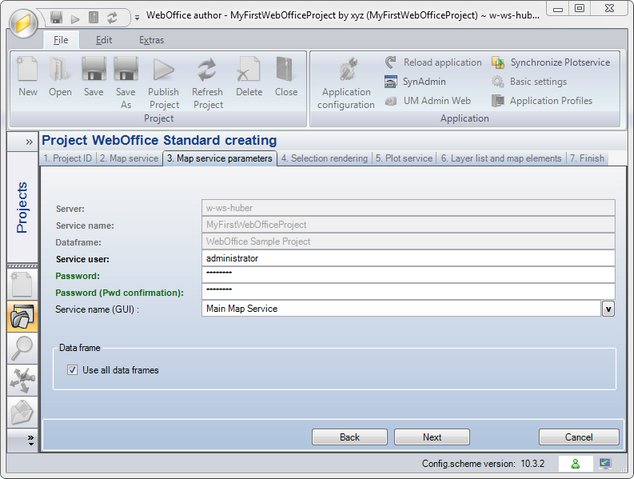
Create WebOffice Project wizard - Step 3
Note: Leave 'Use all data frames' checked if you want to use all data frames of your map document at some time in the project life cycle. Uncheck the checkbox only if you never will use any other then the data frame selected in step 2.