Step 1 |
  
|
Step 1 |
|
In step 1 you must define your project basics.
Attribute |
Description |
Project ID |
Provide a Project ID for uniquely identifying your project. A WebOffice 10 R3 project is started in the browser providing the project ID as URL parameter (e.g. project=MyWebOfficeProject). The project configuration file name will be identical to the Project ID. Project configuration files have the file extension .xml. Note: Special characters are not allowed! |
Project name |
Alias name of the project. Provide a Project name for display and browser window title. |
User view |
Layout type: •'Map centric': Typical WebOffice 10 R3 Standard project with full functionality for power-users. Map is the users main interest and focus. •'Map centric basic': Typical easy-to-use WebOffice 10 R3 Basic project with functionality for casual users. No GUI modifications will be provided to the user. •'Data centric': WebOffice 10 R3 project focusing on data analysis and not on mapping. |
User / Password |
Set User and Password if you want to provide simple access restriction to your WebOffice 10 R3 project. |
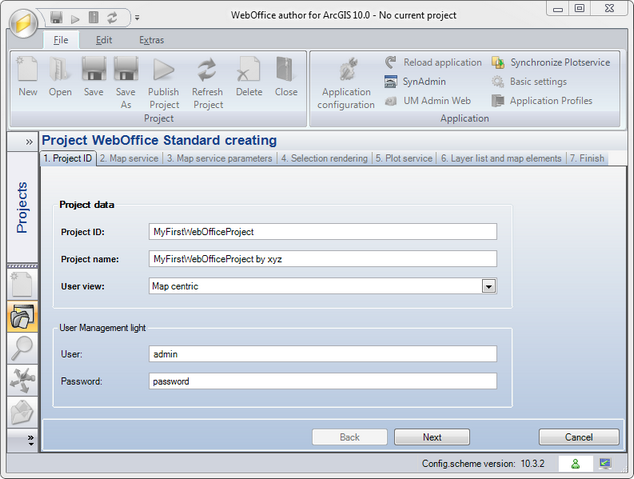
Create WebOffice Project wizard - Step 1