Publish Project Configuration |
  
|
Publish Project Configuration |
|
Publish the WebOffice 10 R3 project (configuration) by clicking Publish button in the Quick Access Toolbar of WebOffice author.
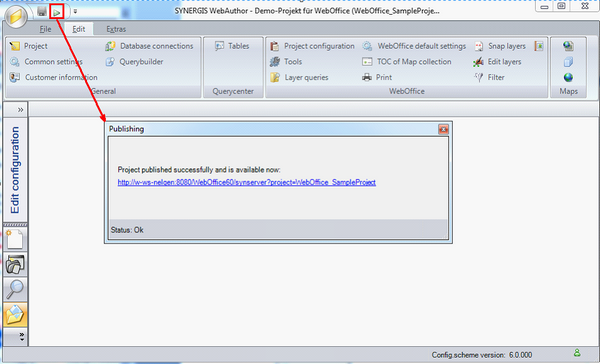
WebOffice author Publish function – Publish window with hyperlink to the WebOffice 10 R3 project
If
oInstallation of WebOffice 10 R3,
oLicensing for WebOffice 10 R3 as well as
oCommunication of WebOffice 10 R3 with ArcGIS Server are all right and
oAll described configuration steps have been done correctly,
then your default browser will open the WebOffice Sample Project if you click the hyperlink displayed in the Publish window:
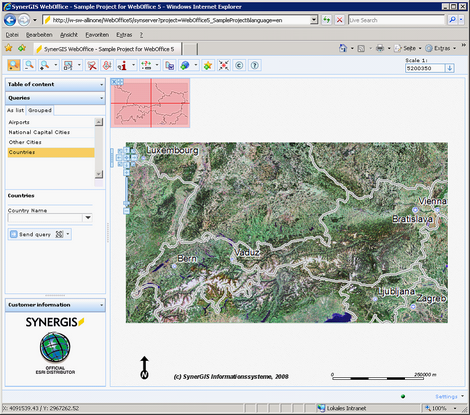
WebOffice Sample Project