Copy WebOffice project configuration WebOffice_SampleProject.xml |
  
|
Copy WebOffice project configuration WebOffice_SampleProject.xml |
|
Copy the WebOffice sample project configuration file (WebOffice_SampleProject.xml) from <ArcGIS Server Location>\SampleProject\projects\ directory into the working directory of your WebOffice 10 R3 application:
<Tomcat install dir>\webapps\WebOffice\WEB-INF\classes\configuration\projects
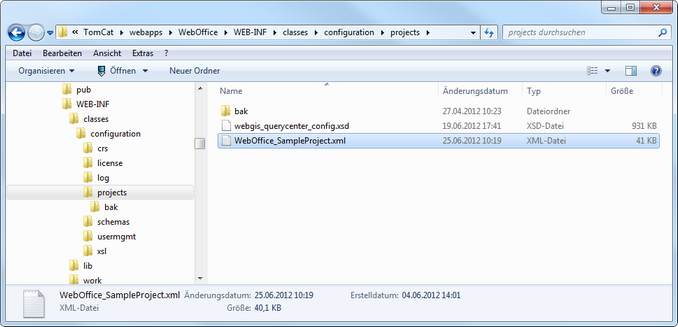
WebOffice application working directory