Configuring WebOffice ePaper |
  
|
Configuring WebOffice ePaper |
|
For the configuration, following steps are necessary:
•Build up an admin connection to the ArcGIS Server in the ArcCatalog.
•Stop the SynePaperService and open the Service Properties.
•Under the Capabilities tab the installed WebOffice extensions are listed.
•Activate the WebOffice ePaper extension by checking the small box.
•Configure the report path directory where the ePaper templates are stored.
•Define the desired output image quality.
•Define the desired JPEG quality (PDF image compression).
•Define the time when the files created during the ePaper request should be deleted from the output directory folder (e.g. arcgisoutput). By default, the value is set to 20 minutes. Please consider that the files are deleted after the next ePaper request.
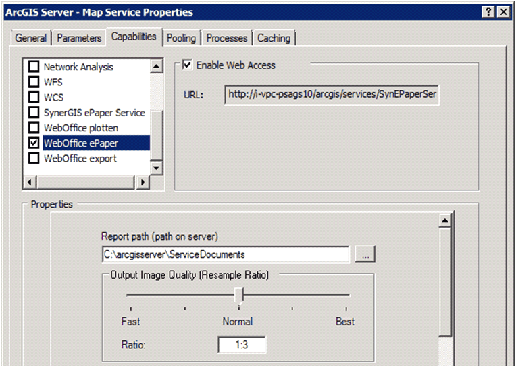
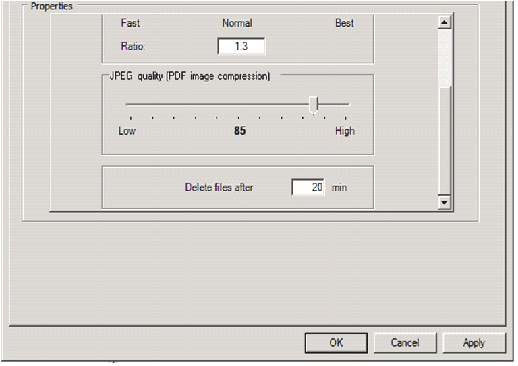
Map Service Properties – WebOffice ePaper extension