WebOffice map widget test container Structure |
  
|
WebOffice map widget test container Structure |
|
The testcontainer.htm site is devided into two different parts: On the left it's possible to check all parameters needed to generate the mapwidget request. On the right the WebOffice map widget will be displayed.
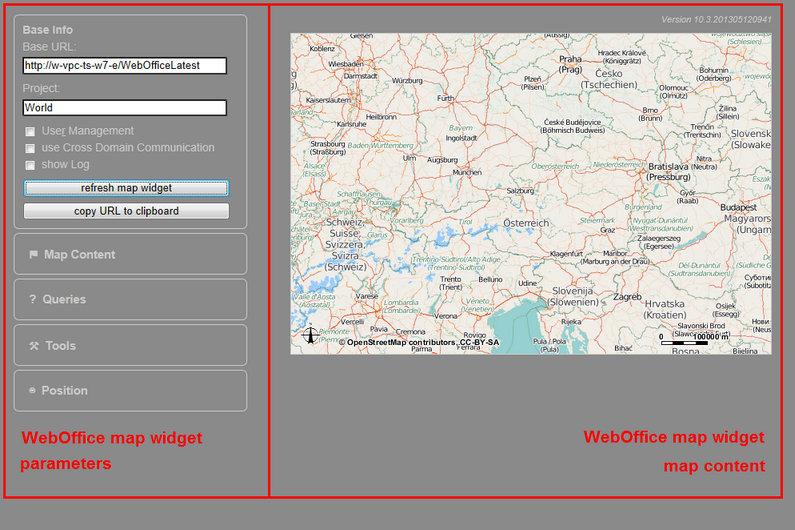
WebOffice map widget test containers - Structure
After entering the base info the map content will be generated by clicking the button "refresh map widget". If additionally the option "show Log" is activated, below the map content an additional information section will be opened. Within this section all necessary parameters will be displayed in the tab 'request'. At the top on the right the current version of the used WebOffice map widget will be shown.
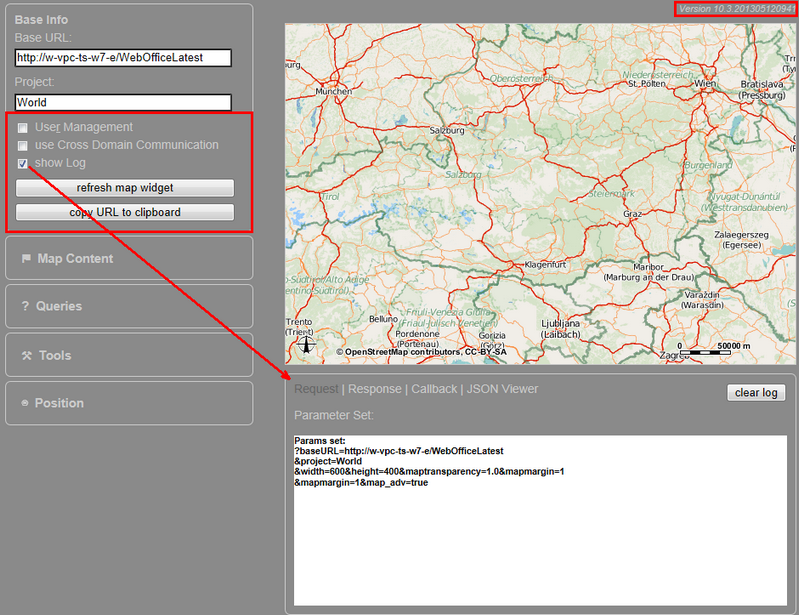
Open WebOffice map widget with WebOffice map widget test container
In order to copy the request to clipboard use the button "Copy URL to clipboard".