Table of Content (TOC of Map Collection) |
  
|
Table of Content (TOC of Map Collection) |
|
The WebOffice 10 R3 Table of content may contain the whole Map collection. For each Map, detailed configuration of specific elements of the Table of content (TOC) may be provided.
The Table of content configuration specifies the initially displayed map as well as the content of the TOC control in the WebOffice 10 R3 client.
Note that you have to approaches for displaying the layer legend of your Table of content. You can either use
•Static Legend display based on Legend configuration element (in Map elements configuration) or
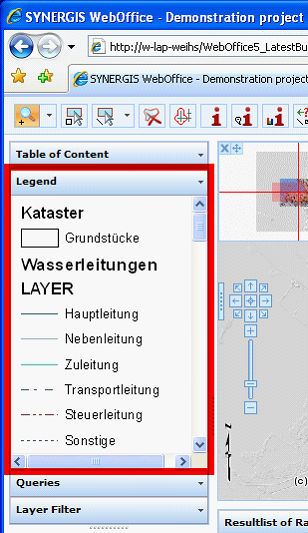
Static Legend display in WebOffice 10 R3 client
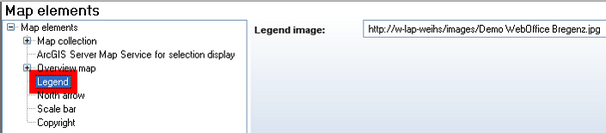
Static Legend configuration
•Dynamic Legend display (dynamic Legend display gets configured on Reference to map service of map collection, Layer group or Layer level).
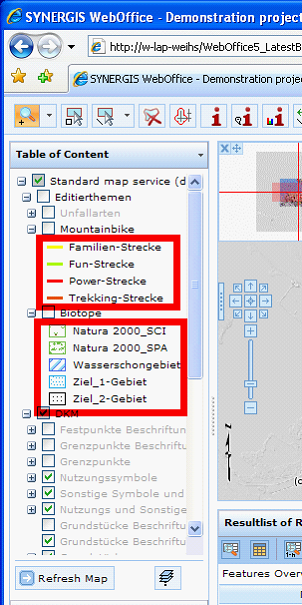
Dynamic Legend display in 'Table of Content' of WebOffice 10 R3 Client
See Table of Content for the concepts of the Table of content in WebOffice 10 R3.
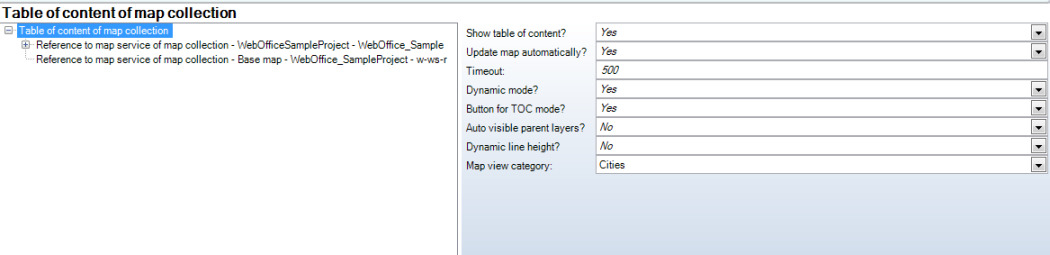
Table of content (of Map collection) configuration
Property |
Description |
Show Table of content? |
Specifies if the Table of content should be displayed in WebOffice client (Yes) or not at all (No). |
Update map automatically? |
Specifies if the map gets updated automatically whenever the state of the Table of content is changed (ArcMap-like behavior). |
Timeout |
Specifies the time (ms), after which the map is updated automatically. |
Dynamic mode? |
Specifies if the Table of content should by default be displayed in dynamic mode. If Yes, the Table of content will show the Layers visible in the current scale only. 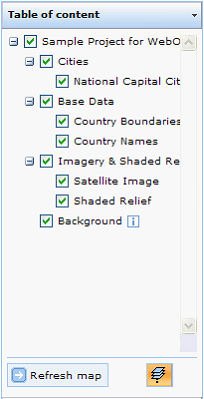 Table of content - dynamic mode
If No, the static mode shows all visible Layers and Layer groups all the time (independent from any scale dependent visibility). Layers that are currently not within visibility scale range, get grayed out. See e.g. below the Layers Other Cities and Airports which are not within their visibility scale range and therefore grayed out.
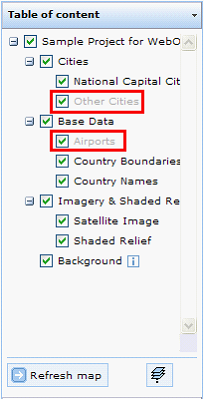 Table of content - static mode
|
Button for TOC mode? |
Specifies if the button for interactive change of TOC mode should be displayed in the user interface below the table of content control or not. |
Auto visible parent layers? |
Specifies if turning on a layer will implicitly also turn on parent layers and the containing map service visibility. Please keep in mind that turning on the parent layer may implicitly also make other portions of the layer tree visible. |
Dynamic line hight? |
Specifies if the height of a line in the TOC is set to a defined height (No/Default, defined by style file), or if the line height is not defined and stretches with the content of the line (Yes). This is e.g. useful if the TOC has legend images bigger than the defined line height and the images should get fully displayed. |
Map view category |
Display group for the table of content |
Table of content (of Map collection) configuration
It is possible to control the behavior of each of the map and WMS map services configured in the Map collection using the Table of content.
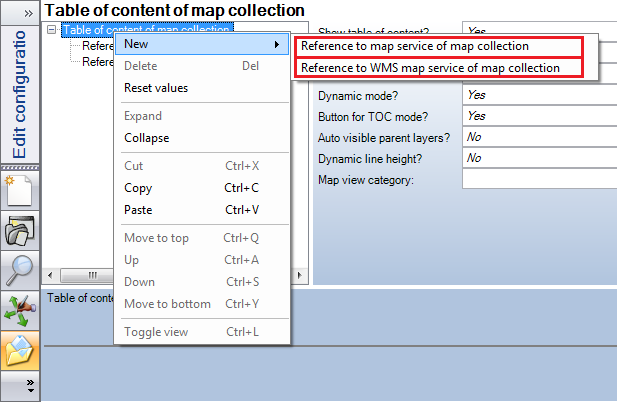
Specify References to Map or WMS Map Services