Overview Map - Display Extent |
  
|
Overview Map - Display Extent |
|
In WebOffice 10 R3 a display extent can be configured for the overview map.
By clicking the button on the right hand side of the configuration properties, WebOffice author opens a dialog to make extent configuration easy. In the next step click the ArcMap Extent button to take over the current ArcMap map extent. (The Minimum is given in geographic units and corresponds to left side of map view.)
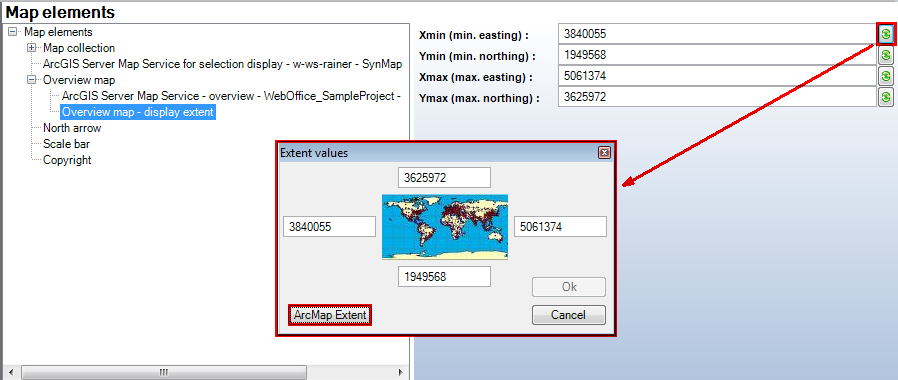
Using the current ArcMap extent.
The configuration is used only if no dynamic overview is used (when using a dynamic overview the displayed overview extent gets updated each time the main map extent is updated).
Hint: The configured extent must be completely inside the configured Full extent otherwise it will get ignored.