Step 5 |
  
|
Step 5 |
|
Specify the ArcGIS Server service in order to generate the print service for maps in step 5. The service should already be available and was most likely set-up during the initial installation and configuration process of the WebOffice 10 R3 software. The settings for the service were most probably set-up as 'SynPlotService' during the software's installation process. Further details are available in WebOffice10R3_GettingStarted.pdf.
•In input field 'Server' enter the host name of the server machine where ArcGIS Server Standard runs on.
•Press the 'Get services' button.
•Select the 'SynPlotService' from the list.
•Check whether all fields for 'Service user' and 'Password' are filled in.
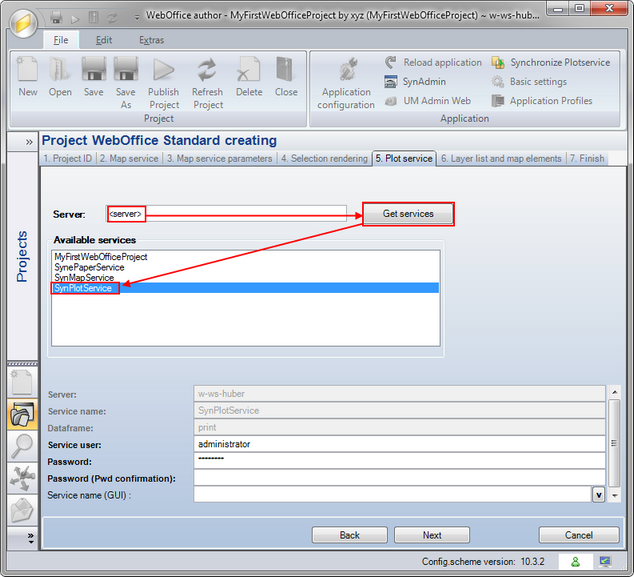
Create WebOffice Project wizard - Step 5