Logging & Debugging |
  
|
Logging & Debugging |
|
WebOffice 10 R3 includes detailed logging and debugging functions. The central information point is the WebOffice 10 R3 administration pages.
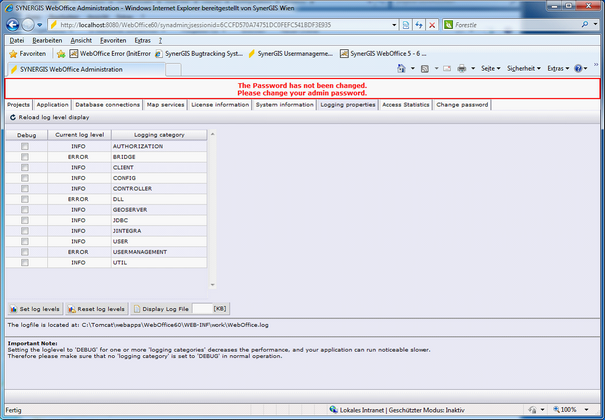
WebOffice 10 R3 administration pages - Logging properties
In the Logging properties tab the current log levels of the different loggers are displayed. It’s possible to turn on/off debugging for a category on the fly without stopping and restarting the WebOffice 10 R3 web application.
The default settings for the loggers are read from the file
WEB-INF\classes\configuration\log\log4j.properties
The location of the WebOffice 10 R3 log file (WebOffice.log) is displayed too. The WebOffice.log file by default gets stored into:
<Tomcat install dir>\webapps\WebOffice\WEB-INF\work
WebOffice.csv, a file with detailed information concerning access statistics can be found in the same directory.