WebOffice ePaper author (Administrative computer) |
  
|
WebOffice ePaper author (Administrative computer) |
|
WebOffice ePaper author is required for creating and adjusting ePapers (reports) in ArcMap. This software package therefore gets installed on all administrative computers.
WebOffice ePaper author setups on WebOffice10R3-DVD:
WebOffice10R3-DVD\Software\WebOffice extensions\English\WebOfficeExtensions.msi
(English setup)
WebOffice10R3-DVD\Software\WebOffice extensions\German\WebOfficeExtensions.msi
(German setup)
Note: If you want to install WebOffice ePaper author on your machine (Administrative server) without ArcGIS Server, be sure not to install the WebOffice 10 R3 server extensions (WebOffice plot extension, WebOffice ePaper and WebOffice extract server).
Note: If you have already executed the WebOfficeExtensions.msi with Complete or Typical setup routine, you do not need to install WebOffice ePaper author again (setup will fail if the extension is already installed).
Note: If you experience troubles installing the setup you can log the installation steps using the msiexec -i installation functionality (msiexec -x for uninstall). Type msiexec in your command line window to get an overview of the logging options. E.g. install the setup with these options to get a log file with detailled information: msiexec –i <path to setup.msi> /l*v <path to create log file in>\install.log
You need to check the WebOffice ePaper author ArcMap toolbar for getting the toolbar displayed.
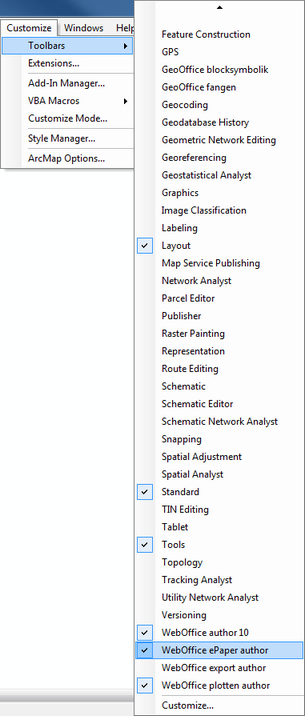
Activating WebOffice ePaper author toolbar