Wait times between login attempts

To prevent automated login attempts, login is temporarily locked once a certain number of login attempts have failed. During the wait time, further login attempts are rejected and the user is told when to try again. The default values can be found in the following table.
Failed login attempts |
Default wait time |
|---|---|
0-5 |
none |
6-20 |
4 seconds |
> 20 |
10 seconds |
Default wait time depending on failed login attempts
Under the Wait times between login attempts node, you can specify individual wait times between login attempts that override the standard wait times. These can be set for individual browser sessions (sub nodes Wait times for session) and for individual user names (Waiting times for username). If both are specified, a lockout can also occur according to both criteria - depending on which threshold value is reached first.
You can add any number of threshold values as sub nodes, whereby the number of login attempts and the waiting time should be specified:
Properties |
Description |
|---|---|
Number of failures (lower limit) |
Once this number of consecutive login failures is reached, the wait time indicated below becomes effective. |
Wait time (in seconds) |
Period during which further login attempts are rejected |
Properties of wait times
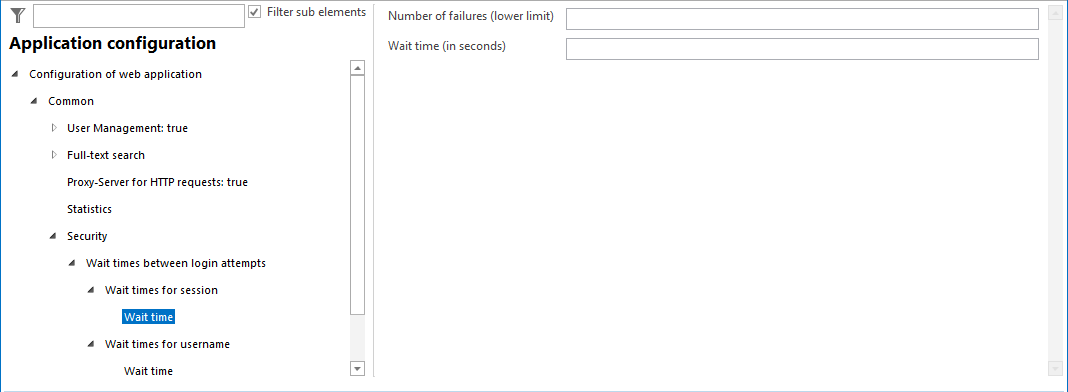
Configuration of the wait times between login attempts
Every failed login is logged in the WebOffice log file with level INFO, including the user name, login type and IP address. When a lockout takes effect, a warning with the prefix SECURITY_WARNING: is written. This allows attacks on logins to be detected with log file monitoring (see Monitoring of WebOffice log files).