Monitoring of WebOffice log files

Using network monitoring software, the WebOffice log files can be systematically searched for specific terms in order to detect problematic log messages as quickly as possible and correct the cause.
The following steps for setting up log file monitoring refer to the implementation using the software HostMonitor as an example.
Use the Add button in the target folder to create a new test case.
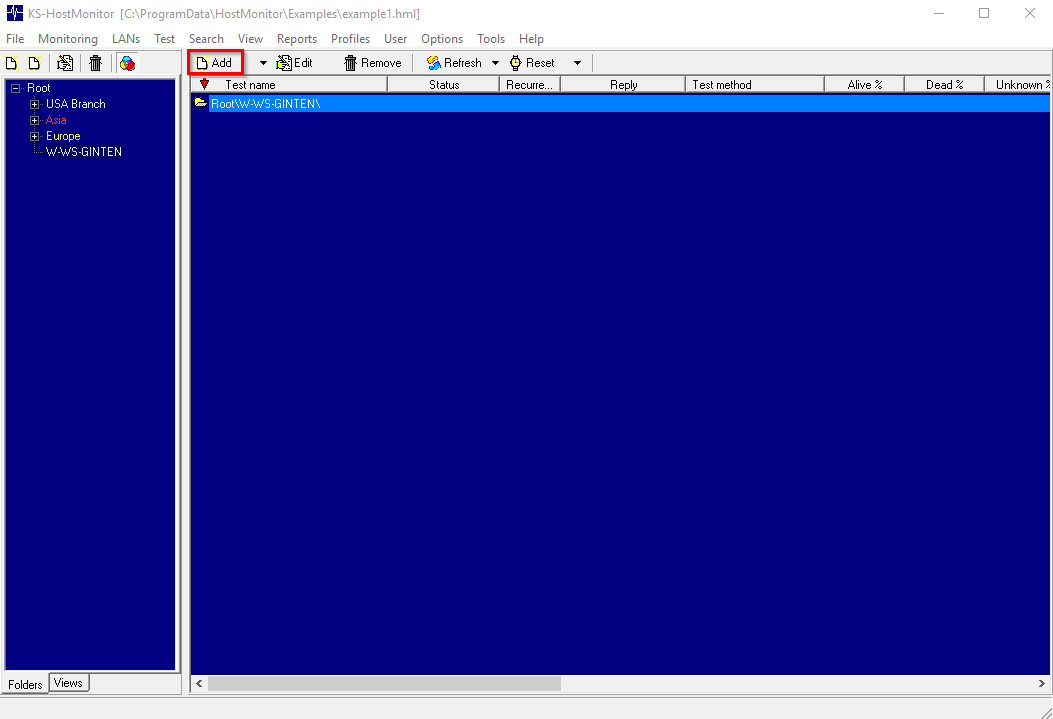
HostMonitor: Create a new test
The Test Log test method is then selected in the target folder.
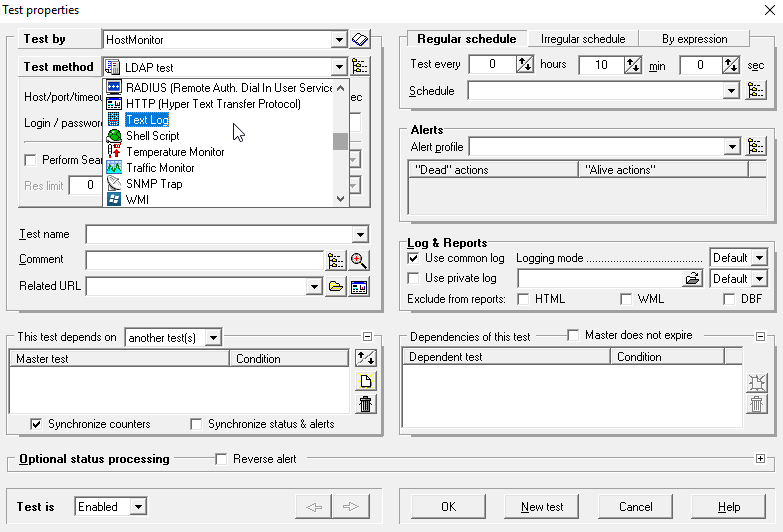
HostMonitor: Choose test method Text log
The test parameters change according to this selection. The "File to test field appears, in which the path to the WebOffice log file must be selected:
<WebOffice application>\WEB-INF\work\WebOffice.log
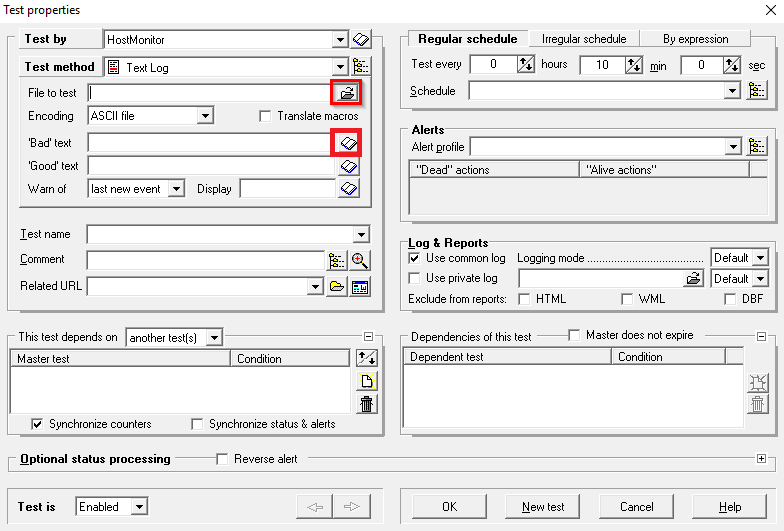
HostMonitor: Select the file and string to be tested
Then select a bad text that defines the string associated with a malfunction.
Possibilities for this are for example:
The keywords assigned by WebOffice are placed at the beginning of the message and consist of capital letters with underscores, e.g. SECURITY_WARNING. They contain no blanks so that they can be used directly as search terms (as of WebOffice 10.9 R6 or the cumulative patch for 10.9 R5 released after 28 October 2026; older versions write SECURITY WARNING with a blank).
The WebOffice Log Explorer highlights all messages with a SECURITY_... keyword in red and counts them in a separate tile, see Analyzing Log Files.
•ERROR
•SECURITY_WARNING (security-relevant events, e.g. locked logins or services reachable without login)
•SECURITY_CONFIGURATION (warning at application start that a forwarding or proxy setting is not restricted to known addresses; the message names the setting in WebOffice Author and refers to the documentation)
•SECURITY_PASSWORD_IN_URL (a batch or monitoring request sends the password as URL parameter instead of in the body of a POST request)
•CERTIFICATE_ERROR and TLS_ERROR (certificate or TLS problems when establishing a connection; CERTIFICATE_ERROR names in square brackets whether the WebOffice application server or the WebOffice SOE on ArcGIS Server is affected; with German administration language the keywords are ZERTIFIKATSFEHLER and TLS-FEHLER)
•CLEANUP_SETUP_FAILED (the WebOffice SOE of an output service did not accept the cleanup task for temporary files)
•SECURITY_SUSPICIOUS_REQUEST (attacks rejected by WebOffice, e.g. SQL injection or injected script code in URL parameters; the message names the kind of attack, the parameter and the IP address of the sender – as of WebOffice 10.9 R6 or the cumulative patch for 10.9 R5 released after 27 October 2026)
•NullPointerException
•ClassCastException
•StackOverflowError
•IndexOutOfBoundsException
•NoSuchElementException
•ConcurrentModificationException
•UnmarshalException
•IllegalArgumentException
•NOT_IMPLEMENTED
•The Layer IDs of the Service (Warning that layer IDs in a service are not sorted in ascending order)
•etc ...
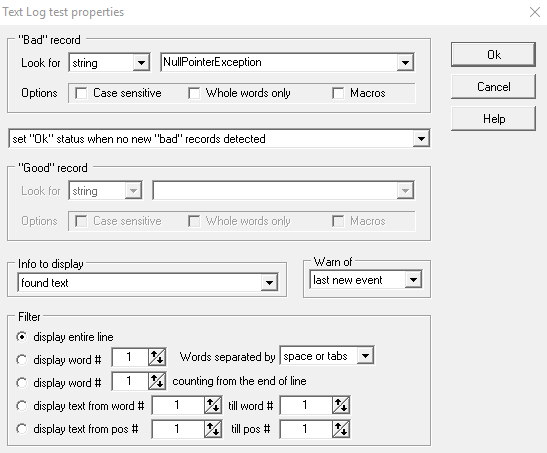
Define Bad record
You can then change the test name and the alert method.
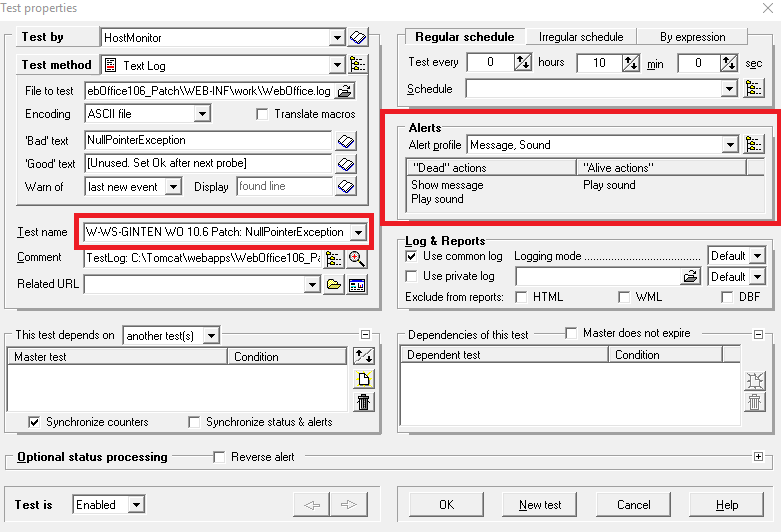
Define test name and notification method
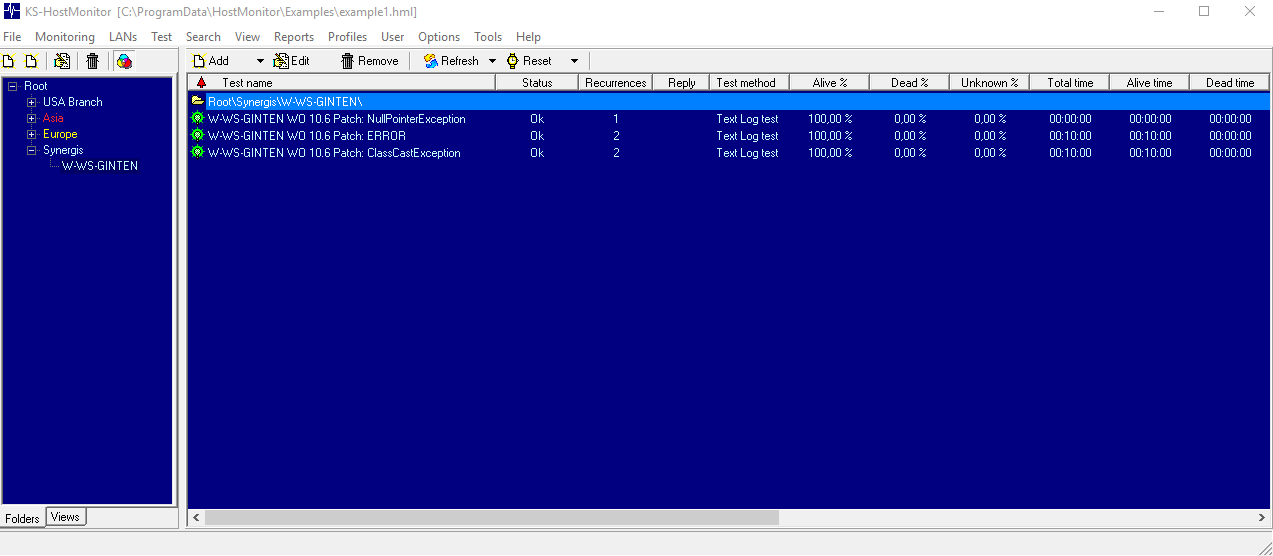
Finished list with several strings to be monitored
|
For interactive analysis of log files – e.g. to see a message reported by the monitoring in context – the WebOffice Log Explorer is available. |
