Search

The Landing Page offers an ArcGIS Online search on the top right. With it, the user can search for maps, services and apps in ArcGIS Online and in own portals and open the content found directly.
Search sources
ArcGIS Online is always available as a search source. In addition, any number of own portals (Portal for ArcGIS or ArcGIS Enterprise) can be configured as search sources. The user selects one search source or all search sources and enters a search term.
The search is anonymous. Therefore, only content that is shared publicly in the respective search source is found.
Content found
Only item types that WebOffice 10.9 R5 can open are searched. Up to 20 hits are shown per search source. Depending on its type, a hit is opened as follows:
In the WebOffice 10.9 R5 container project:
•Web Map
•Map Service, Feature Service and Image Service (added as ArcGIS service)
•WMS (added as WMS service)
As an app in a new browser window:
•Web Mapping Application (incl. Instant Apps)
•Dashboard
•Web Experience (ArcGIS Experience Builder)
•StoryMap
Apps without an address of their own are opened via their address in the portal.
Opening in the container project
Web maps and services are opened in a WebOffice 10.9 R5 project that is defined as the container project of the search in the application configuration. If the user selects a web map or a service, the container project is opened in a new window and the selected content is added.
If no container project is configured, the search lists apps only. Web maps and services are not shown in this case.
|
Whether content can be displayed in the container project depends on the configuration of this project (client, tools, coordinate system). The requirements are described in the chapter Content search of the application configuration. |

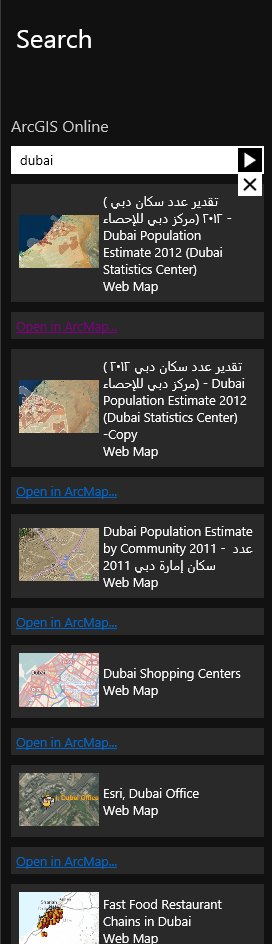
Results of Landing page search
|
See chapter Content search for details about the configuration of the ArcGIS Online search in WebOffice author. |
