Designing ePaper template

In the sample project the ePaper template is created for the ArcGIS layer PARCEL (feature class name = GST). The layer parcel includes a join and a relate. The name of the join table is GEOGRUND. The names of the related tables are GEOEIGEN and PARTIAL AREAS.!!!
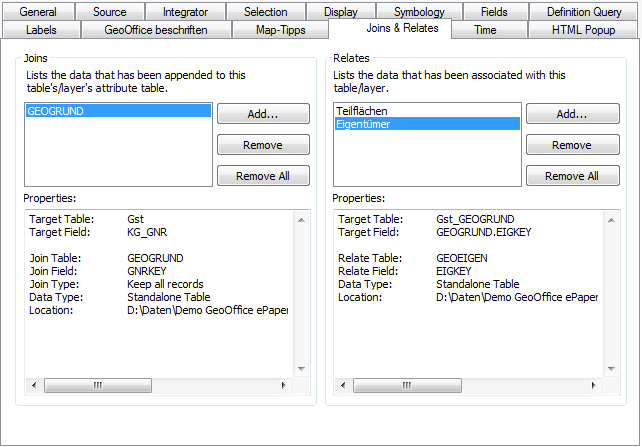
Connection and relationship at the layer arcel (FC: GST)
A handful of properties are selected in the map, the Properties layer is selected and GeoOffice ePaper manager (or WebOfficeePaper manager) is launched using the button</%WEB%> ePaper button.
In ePaper manager a new template is created by using the command New command. A name and a location are assigned for the new template. Confirming the dialog opens the GeoOffice ePaper designer.
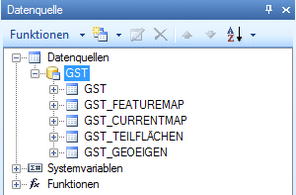
In the designer, in the tab Data source tab in the designer lists the GIS data sources. The feature class name GST is automatically used for the name of the connection. The available data from the GIS data source GST are listed below: GST_GEOEIGEN, GST_SUBAREAS, GST_FEATUREMAP, GST_CURRENTMAP. The feature map and the current map are available whenever the data source is a GIS data source.