Copy Sample project data to your GIS Server |
  
|
Copy Sample project data to your GIS Server |
|
For copying the Sample project geodata, copy the directory WebOffice10R3-DVD\SampleProject to your ArcGIS Server Location (If e.g. your <ArcGIS Server Location> is C:\arcgisserver then a directory C:\arcgisserver\SampleProject gets created).
See chapter ESRI for details concerning the < ArcGIS Server Location>.
Note: This is just for test purposes and for easy installation only (the file system access rights will be OK if you copy your local geodata within the ArcGIS Server Location because the windows SOC user account will have access rights to use the File Geodatabase data). In general you SHOULD NOT store your local data within the ArcGIS Server Location. Instead you should place it on a different hard disk because a lot of file I/O will be needed on the ArcGIS Server Location (Cache data, ArcGIS Server output data, ArcGIS Server job data etc.) as well as on the path where the local geodata gets stored.
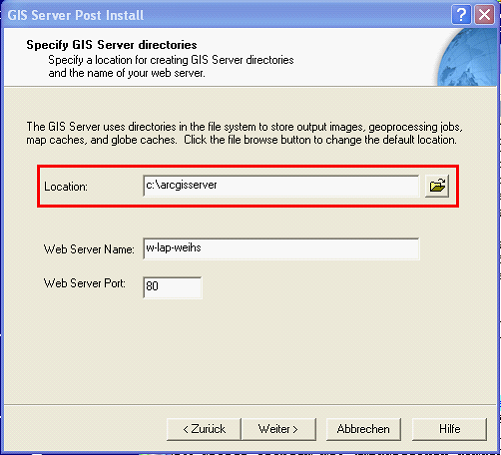
ArcGIS Server location