Add ArcGIS Server connection for Managing |
  
|
Add ArcGIS Server connection for Managing |
|
In ArcCatalog go to GIS Servers node and double click Add ArcGIS Server node.

ArcCatalog - Add ArcGIS Server
Check Manage GIS Services and press Next:
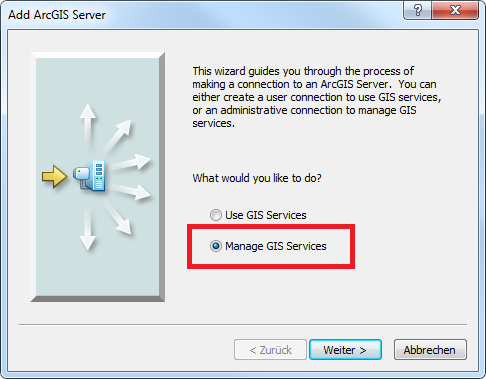
Manage GIS Services dialog
Specify Server URL (see chapter GIS Server Instance for details) and Host Name.
Note: For Server URL you MUST add the configured ‘GIS Server instance’. In the screenshot the default instance name is used (‘arcgis’).
The expression /services must be added, e.g. if your GIS Server instance name is set to ‘MyInstance’ and your server is named ‘MyServer’ then the Server URL would be: ‘http://MyServer/MyInstance/services’
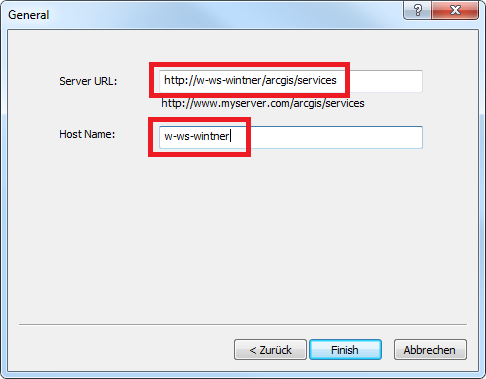
Manager GIS Server - Server URL and Host Name
Result is a new ArcGIS Server node which can be used for administering ArcGIS Server from ArcCatalog.
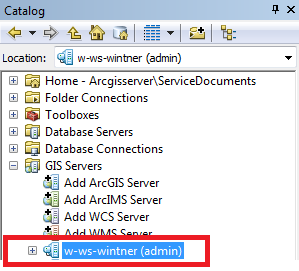
ArcGIS Server node