WebOffice

The menu item WebOffice contains numerous WebOffice 10.9 R5 - relevant shortcuts like the application configuration as well as SynAdmin, ArcGIS Server Manager, UserManagement Admin Web or the landing page.

Icon |
Menu item |
Description |
||||
|---|---|---|---|---|---|---|
|
Publishes the currently opened project in the WebOffice 10.9 R5 application. As a result of successful publishing, a window with the URL of the WebOffice 10.9 R5 project is displayed. You can click the URL to immediately launch the respective client for this project. To open the project with the WebOffice mobile client, you can also scan the provided QR code.
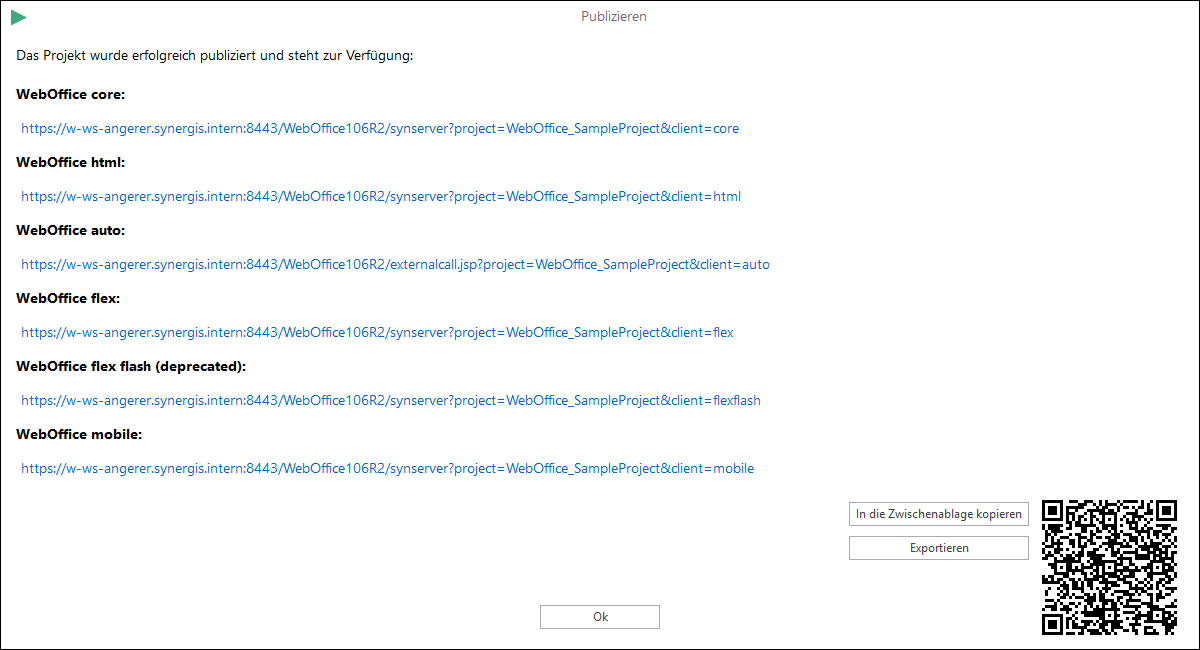 Project publish status and WebOffice 10.9 R5 project URL
|
|||||
|
If you have selected a project, a window with the URL of the WebOffice 10.9 R5 projects will be displayed. You can choose the URLs of the different clients without publishing the project.
|
|||||
|
Use this function for opening the WebOffice 10.9 R5 application configuration. In the application configuration it is possible to control behavior and parameters of the WebOffice 10.9 R5 applications.
|
|||||
|
ESRI Resource Proxy Configuration |
This is especially for the 3D view of the WebOffice flex client necessary, for using cached services also in the 3D-views. The Proxy forwards only the Content-Type and Accept headers of the browser to the target service. It forwards the credentials of the browser (Authorization header) only if the option “Forward Browser Credentials” under “General Configuration” is enabled. This is only needed if WebOffice itself is protected by HTTP Basic authentication and an internal service reached via the Proxy expects exactly the same credentials. Credentials configured for the service in WebOffice always take precedence. If a target service redirects, the Proxy follows only a redirect from http to https of the same address or to a registered endpoint. It answers other redirects with an error and writes a warning to the log.
|
||||
|
Planning information configuration |
If a planning information configuration is defined in settings, it is possible to open this menu in order to configure your planning information settings. |
||||
|
This function restarts the entire WebOffice 10.9 R5 application again.
|
|||||
|
SynAdmin |
Use this function for opening the WebOffice 10.9 R5 administration pages directly from WebOffice author standalone. |
||||
|
Use this function for opening the ArcGIS Server administration pages directly from WebOffice author standalone.
|
|||||
|
Use this function for opening the WebOffice usermanagement administration pages directly from WebOffice author standalone. |
|||||
|
Use this button to start the browser with the landing page.
|
|||||
|
Customize Language Bundle |
This options is used to override the WebOffice default messages of the WebOffice core client. The changes are saved in the file <WebOffice application>\client_core\language_weboffice_user.xml and are preserved even after a service pack or patch is applied. |
||||
|
Mobile+ project configuration |
If a Mobile+ project directory is defined in File > Settings and the opened project is suitable for Mobile+, you can change the Mobile+ project configuration here. |
||||
|
This opens the user manual of the application in the browser WebOffice 10.9 R5 application. |


