Export File Output Format

In general all possible export file output formats are available for the respective export profile. By configuring export file output formats it is possible to restrict these formats to some specific ones which are then available for selection in the WebOffice 10.9 R5 client.
|
To configure an export profile for raster data (GeoTIFF), see chapter Export Profile Raster Data for details. |

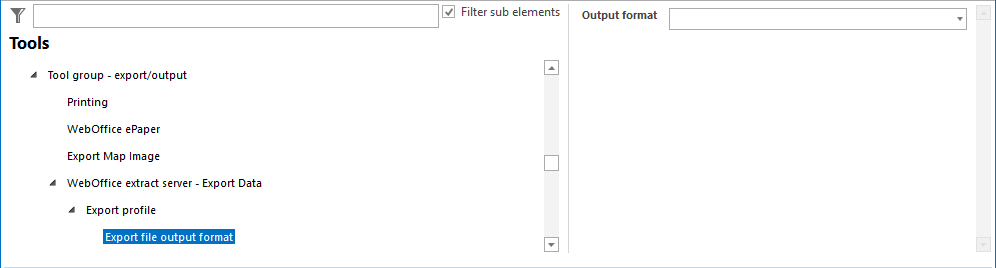
Export file output formats configuration
Property |
Description |
|---|---|
Output format: |
Choose the export file output format that is to be available in the client. For vector formats the following output formats are available: •GIS oEsri Shape - SHP oEsri Personal Geodatabase - PGDB oEsri File Geodatabase - FGDB oGPS Exchange Format 1.1 - GPX oGeoJSON - GEOJSON
•CAD
oAutoCAD DWG ▪R12_DWG - AutoCAD DWG - Release 12 ▪R13_DWG - AutoCAD DWG - Release 13 ▪R14_DWG - AutoCAD DWG - Release 14 ▪R15_DWG - AutoCAD DWG - Version 2000 ▪R18_DWG - AutoCAD DWG - Version 2004 ▪R21_DWG - AutoCAD DWG - Version 2007 ▪R2010_DWG - AutoCAD DWG - Version 2010 ▪R2013_DWG - AutoCAD DWG - Version 2013 ▪R2018_DWG - AutoCAD DWG - Version 2018
oAutoCAD DXF ▪R12_DXF - AutoCAD DXF - Release 12 ▪R13_DXF - AutoCAD DXF - Release 13 ▪R14_DXF - AutoCAD DXF - Release 14 ▪R15_DXF - AutoCAD DXF - Version 2000 ▪R18_DXF - AutoCAD DXF - Version 2004 ▪R21_DXF - AutoCAD DXF - Version 2007 ▪R2010_DXF - AutoCAD DXF - Version 2010 ▪R2013_DXF - AutoCAD DXF - Version 2013 ▪R2018_DXF - AutoCAD DXF - Version 2018 |
Export file output formats properties
|
See chapter WebOffice extract server for details about the tool configuration in WebOffice author standalone. |