Installation of VertiGIS Printing Layout Designer |
  
|
Installation of VertiGIS Printing Layout Designer |
|
VertiGIS Printing Layout Designer, in order to create print templates in ArcGIS Pro, can be installed via the installation of WebOffice author standalone.
(For further details an general information how to install WebOffice author, see the relevant chapter in WebOffice UserManual.)
Therefor - during installation of WebOffice author standalone - you have to check the option 'Install ArcGIS Pro VertiGIS Layout Desinger Add-In:
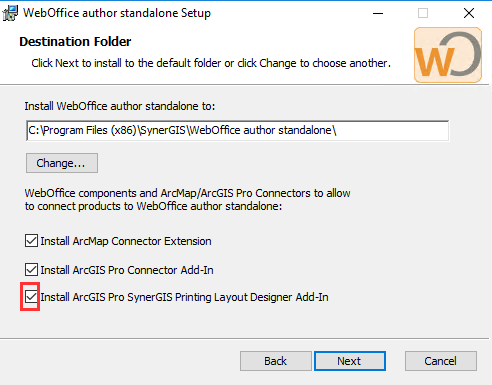
WebOffice author standalone Setup - Installation Layout Designer
Within the ArcGIS pro Add-Inn-Manager you can check the sucessfully installed Add-In:
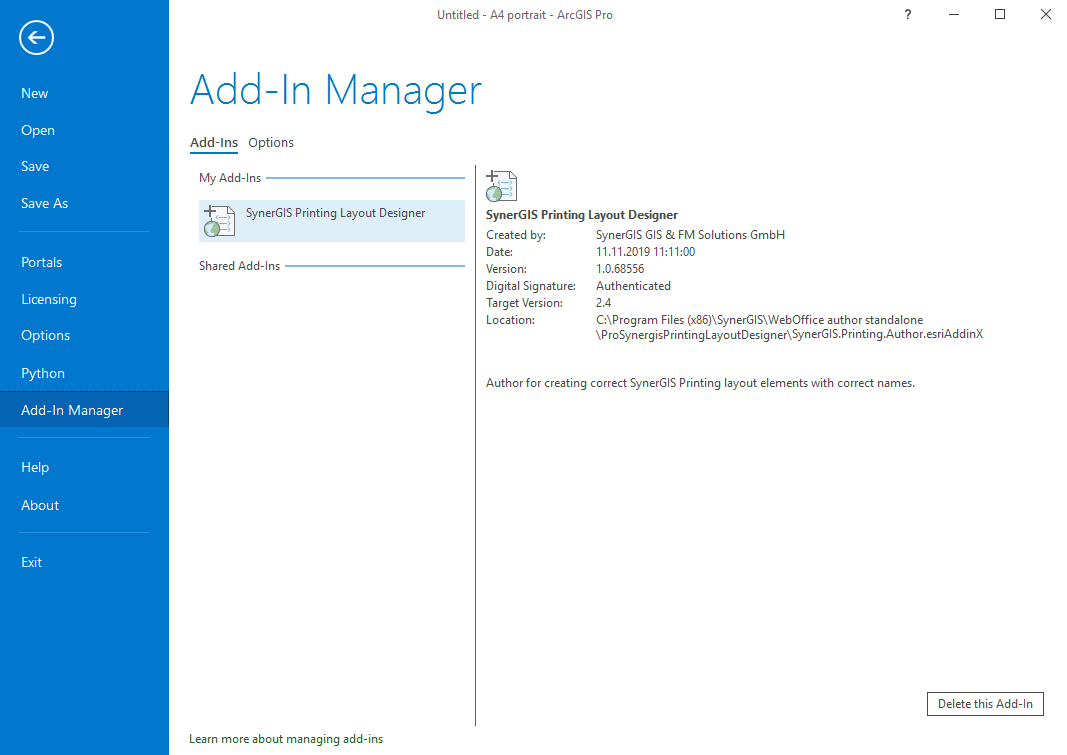
ArcGIS Pro - Add-In Manger
Notes:
For further information regarding the installation of VertiGIS Printing see the relevant chapter in WebOffice User Manual.