CAD Export of Points with Attributes |
  
|
CAD Export of Points with Attributes |
|
To export attributes a header file is needed. Within this file blocks and attributes must be defined. A simple example for this are labeled Points.
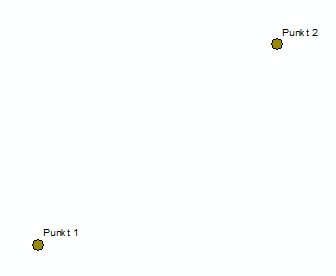

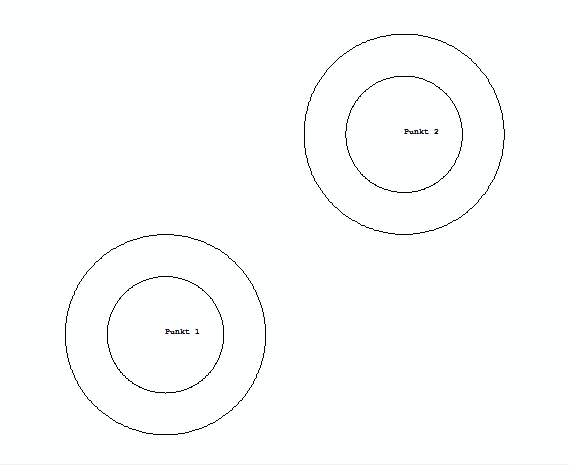
The first step is to define a block within the header file in cad. How the block should look can be freely decided. In this example two circles were choosen. Additionally it is necessary to define attributes for the block. With this attributes it is possible to pass the text from GIS to the cad file. Afterwards the configuration file must be created.
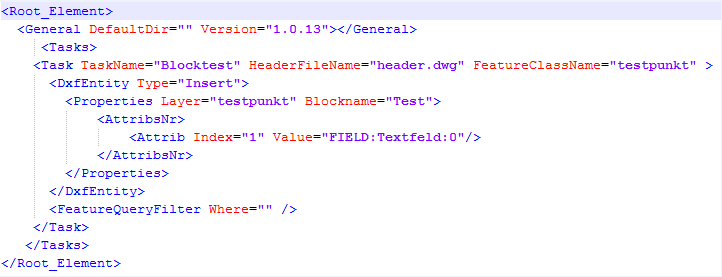
The TaskName can be freely selected. The HeaderFileName describes the name of the header. With the Option DefaultDir the header default location could be additionally set.
The FeatureClassName reference to the Feature Class from GIS. DxfEntity describes the type of data conversion. Insert ist written for blocks in cad. The newly created layer in cad is named testpunkt. The block in the header file was named Test. As the last item the attributes must be set. In this example the first attribute within the block will be choosen. The values from the field Textfield would be written into the cad file. If there are no values 0 would be written as a default value.