SQL Conncetion |
  
|
SQL Conncetion |
|
SQL connection can be used when you want to build for instance a connection on a SQL database.
Select the SQL connection type and click Build.
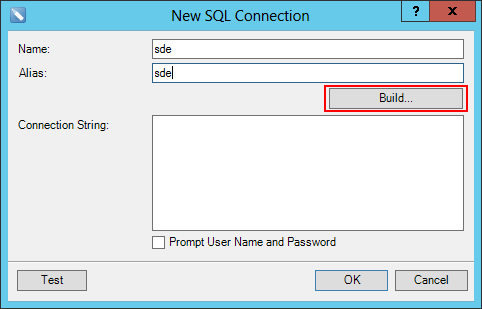
New SQL Connection
For creating the connection indicate the server name of the SQL server, the name of the database and the authentication.
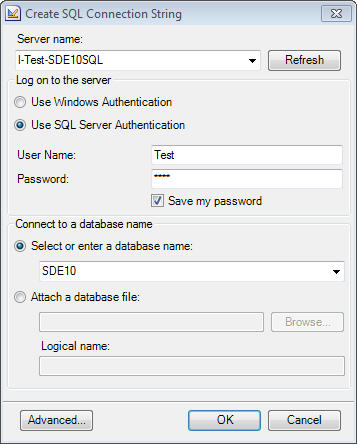
Configure SQL connection
The connection string is displayed in the window of the connection string. The connection string of a SQL connection includes the parameters Data Source / Initial Catalog / User / Password. With Test you can verify the configured SQL connection.

SQL -Connection String
You can find more information about creating Connection Strings at http://www.connectionstrings.com/.