Structure |
  
|
Structure |
|
The GUI of the WebOffice mobile client has been totally redesigned with WebOffice 10.3. In general you can call the WebOffice mobile client by using the parameter &client=mobile.
http://<servername>:8080/WebOffice/synserver?project=WebOffice_SampleProject&client=mobile
If the project is called via the externalcall.jsp and the parameter &client=auto, then the device will automatically be identified and the WebOffice 10.4 SP2 project will be opened with an appropriate client.
http://<servername>:8080/WebOffice/externalcall.jsp?project=WebOffice_SampleProject&client=auto
If in that case a mobile device is used, the WebOffice 10.4 SP2 project will be opened with the WebOffice mobile client (if licensed). There are two different GUIs available for the WebOffice mobile client:
•tablet mode
•phone mode
WebOffice 10.4 SP2 automatically detects the mode and therefore uses the appropriate GUI, depending on the display width and height. The default values of display width and height can be adjusted in WebOffice mobile. In general the GUI of the WebOffice mobile client is divided in an Upper Toolbar and a Lower Toolbar.
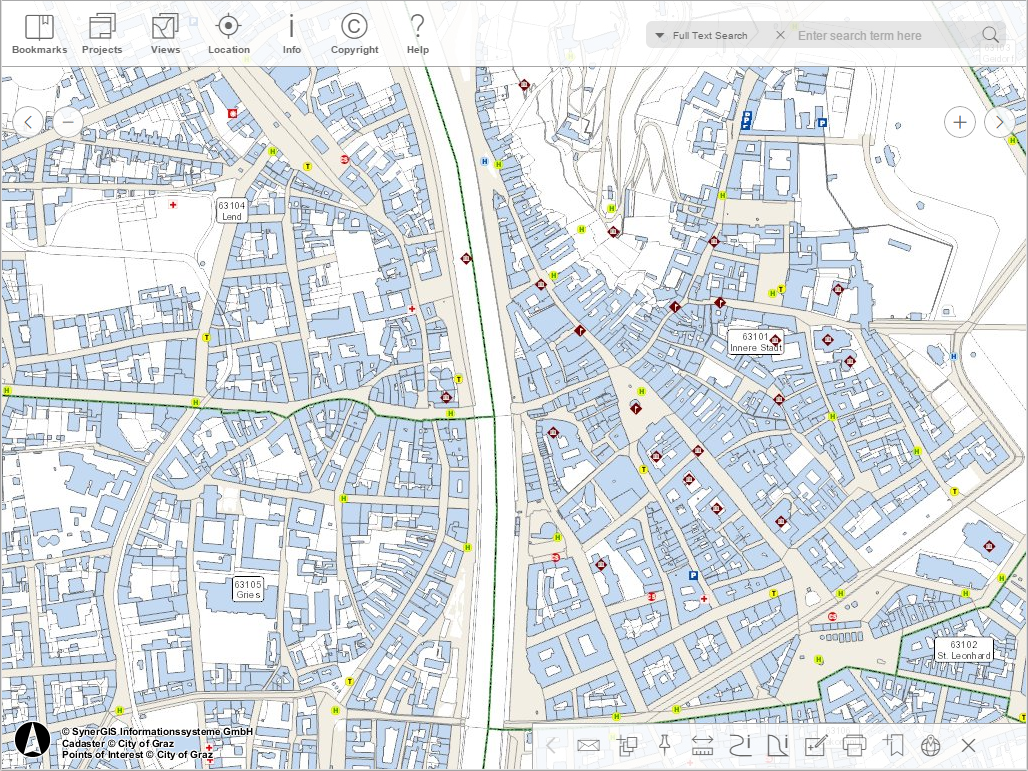
WebOffice mobile client - tablet mode
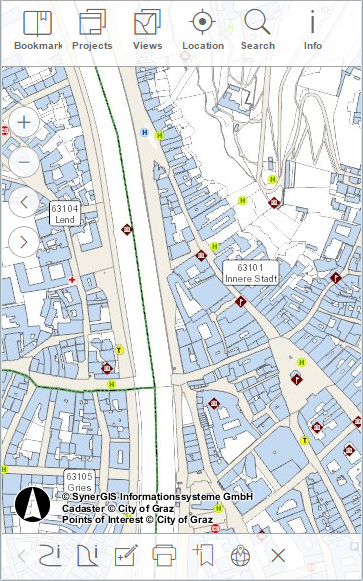
WebOffice mobile client - phone mode