Timeouts |
  
|
Timeouts |
|
Configure Timeouts to define Timouts for specific operations.
Note: Consider also service timeouts to be responsible for operations canceling.
Configure a Print Timeout to define the time the WebOffice 10.3 SP2 client waits to complete the printing task.
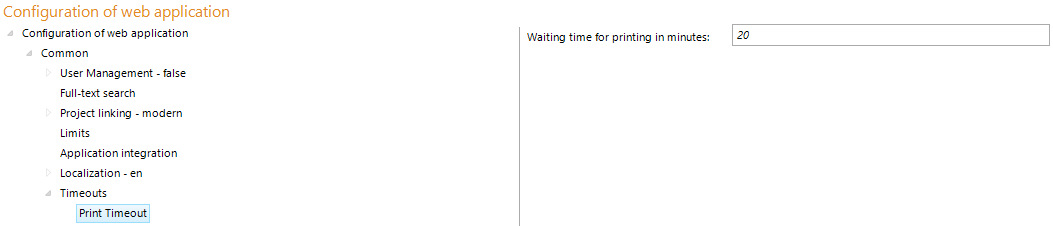
Print timeout configuration
Property |
Description |
Waiting time for printing in minutes |
Specifies the length of time (in minutes) how long the WebOffice 10.3 SP2 clients waits until a printing task has been completed. Note: The value for the parameter 'The maximum time a client can use a service' must be increased inside ArcGIS Server Manager at the Map Service 'SynOutputService' under 'Pooling//Specifiy Service Timeouts" accordingly. |
Print timeout properties
Configure an ePaper Timeout to define the time the WebOffice 10.3 SP2 client waits to complete the ePaper task.
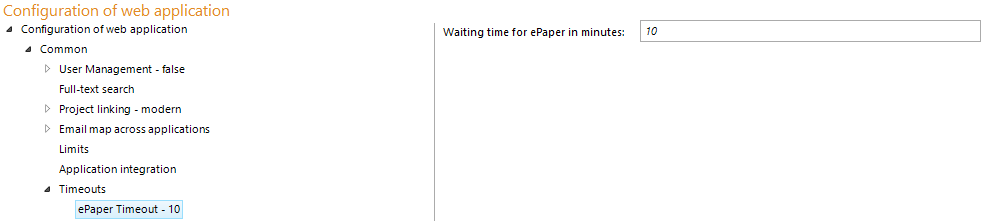
ePaper timeout configuration
Property |
Description |
Waiting time for printing in minutes |
Specifies the length of time (in minutes) how long the WebOffice 10.3 SP2 clients waits until an ePaper task has been completed. Note: The value for the parameter 'The maximum time a client can use a service' must be increased inside ArcGIS Server Manager at the Map Service 'SynOutputService' under 'Pooling//Specifiy Service Timeouts" accordingly. |
ePaper timeout properties
Configure an Extract Timeout to define the time the WebOffice 10.3 SP2 client waits to complete the extract task.
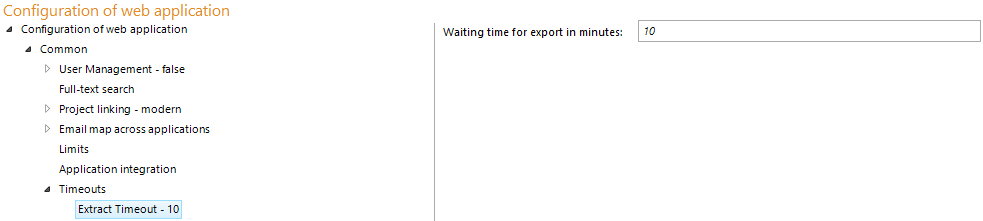
Extract timeout configuration
Property |
Description |
Waiting time for printing in minutes |
Specifies the length of time (in minutes) how long the WebOffice 10.3 SP2 clients waits until an export/extract task has been completed. Note: The value for the parameter 'The maximum time a client can use a service' must be increased inside ArcGIS Server Manager at the Map Service 'SynOutputService' under 'Pooling//Specifiy Service Timeouts" accordingly. |
Extract timeout properties
Configure a Query Timeout to define the time the WebOffice 10.3 SP2 client waits to complete the query task.

Query timeout configuration
Property |
Description |
Waiting time for query operations in seconds |
Specifies the length of time (in seconds) how long the WebOffice 10.3 SP2 clients waits until query operations have been completed. Note: The value for the parameter 'The maximum time a client can use a service' must be increased inside ArcGIS Server Manager at the Map Service 'SynOutputService' under 'Pooling//Specifiy Service Timeouts" accordingly. |
Query timeout properties