Users |
  
|
Users |
|
Create a new User or edit existing users. Define several properties that can be used in prints and WebOffice ePaper reports.
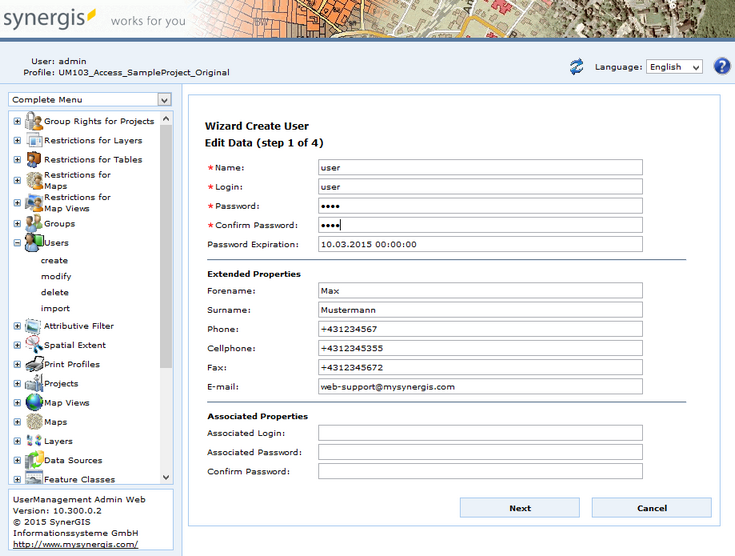
Create user - step 1 edit data
Property |
Description |
Name |
Enter a name for the user Note: This field is mandatory. |
Login |
Define a login name. Note: This field is mandatory. |
Password |
Define a password Note: This field is mandatory. |
Confirm Password |
Confirm the password. Note: This field is mandatory. |
Password Expiration |
Enter the validity period until the password expires. Note: Please also check the maximum password age. |
Given Name |
Enter a given name. |
Surname |
Enter a surname. |
Phone Number |
Enter a phone number. |
Cellphone |
Enter a cellphone number. |
FAX |
Enter a FAX number. |
Enter an email address. |
|
Associated Login |
The associated login has to be provided by the K5 service administrator. Note: For further information please have a look at K5 labeling. |
Associated Password |
The associated password has to be provided by the K5 service administrator. Note: For further information please have a look at K5 labeling. |
Create user properties
In the next step it is possible to copy assignments of groups from previously configured users. Select 1-n users whose group memberships you also want to assign for the new user. UserManagement Admin Web then will preselect the according groups in the next step. Use the Sort button  for sorting the group objects in ascending or descending order. Furthermore, you can search for a specific groups by entering the name and clicking the
  button.
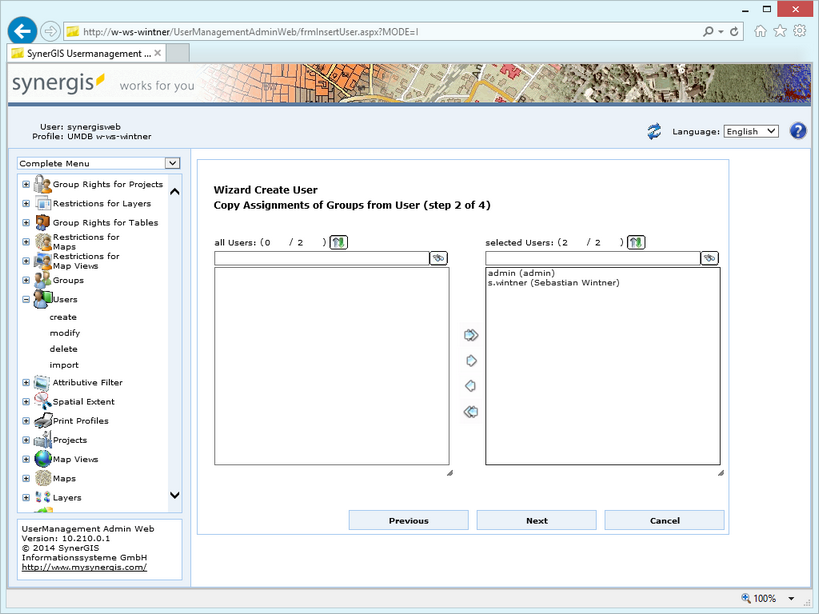
Create user - step 2 copy assignments of groups from user
In the next step, assign the user to a group. You can also create a group afterward and assign it to the user group. If you selected one or more users in the previous step, the according groups will be already preselected.
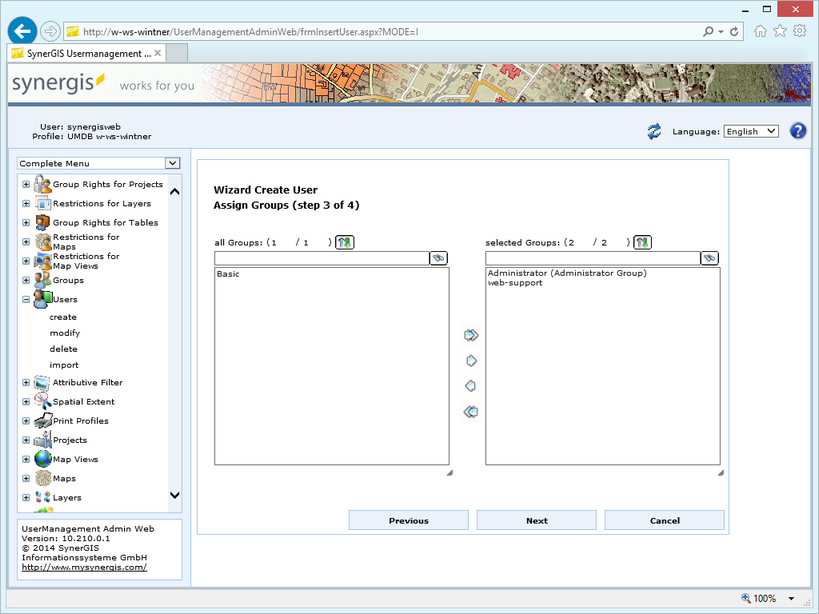
Create user - step 3 assign groups
In the last step you get the summary of your configuration.
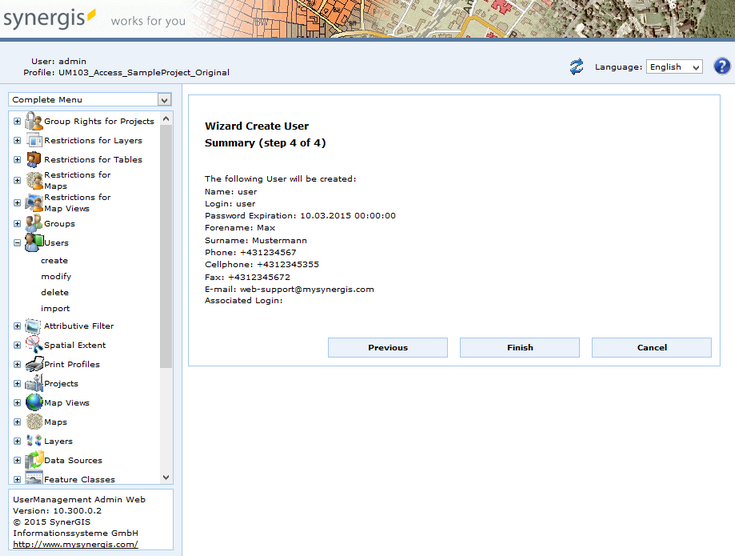
Create user - step 4 summary
Click Finish in the final wizard step.
Note: See chapter Groups for details about the creation of groups.
Note: See WebOffice103_plot_author_UserManual.pdf for details about function fields and how they can be added to a print template.
Note: See chapter Login Page for details about the login and the password change in the WebOffice 10.3 SP2 client.