xPlanung Web |
  
|
xPlanung Web |
|
xPlanung is the name of an (german) e-government project that created a object-oriented data exchange format. It is used to retrieve and display information provided by this data in a user-friendly user interface. Follow the steps of this chapter to see how to configure the XPlanung in WebOffice 10.3 SP2.
Note: This functionality is only supported in the WebOffice core client.
Prerequisites
| • | All features of the geodatabase possess the following attribute fields |
| o | GMLID (ID of the feature) |
| o | PLANID (ID of the plan that is linked with the feature) |
| o | FEATURETYPE (object type) |
| • | The XML file has to be named [PLANID].xml |
| • | For every plan there exists an XML file with the attribute information of all features |
| • | By using the field PLANID and the name of the XML file, the appropriate XML file can be found |
| • | The XML file has the following style |
<Features>
<PlanName>
<Plantype>
<Feature>
<OID>
<GMLID> » This is the reference to the feature in the feature class
<PlanId> » Together with the GMLID the feature in the feature class can be identified
<SimpleClassData>
Describes the data, with different types of display
Data can be extremley nested, it always ends with a name/value pair
<SimpleData> » contains name/value; basic attribute in textbox style
<ArrayData> » can itself contain several types; enclosed data has to be indented
<ExtraSimpleClass> » can itself contain several types; enclosed data has to be indented
<EnumLookupData> » contains name/value; value lists; important for editing
<CodelistLookupData> » like <EnumLookupData>; contains name/value
<FakeClassData> » can itself contain several types; enclosed data has to be indented
<SimpleDataBoolean> » contains name/value; checkbox
Configuration in WebOffice 10.3 SP2
| 1. | Check whether the file xPlanung.jsp exists in C:\Tomcat\webapps\C:\Tomcat\webapps\<WebOffice application>\pub\custom_pages\. If it does not exist, copy the file from WebOffice10.3-DVD. |
| 2. | The XML files have to be accessible via web server. Create a virtual directory that points to the folder where the data is saved. |
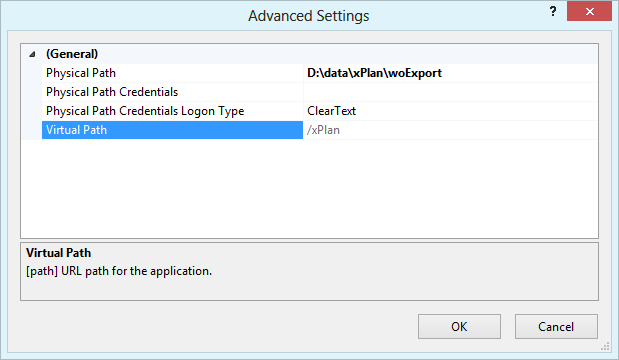
Virtual directory in IIS that points to xPlan data
| 3. | Publish the xPlanung data in a map service and add it into your WebOffice 10.3 SP2 project. |
| 4. | Configure a Search Result View for the respective layer(s) that contains the three result fields GMLID, FEATURETYPE, PLANID |
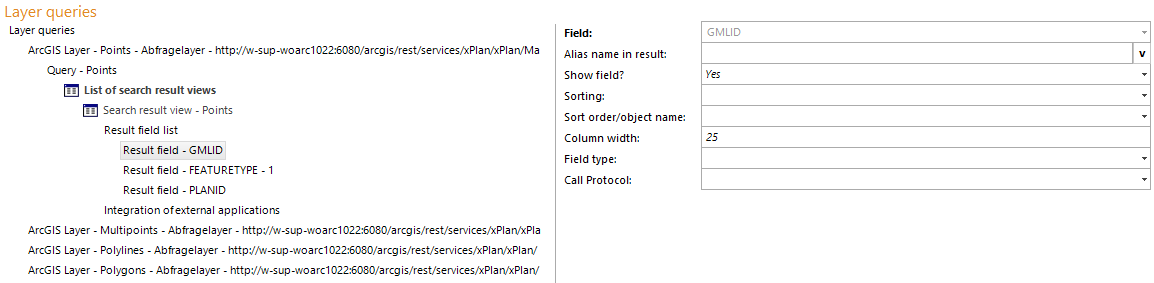
Search result view with the three important xPlanung fields
| 5. | Configure an Integration (Call FROM WebOffice) with the correct base URL and a key set of separated parameters |
| • | Base URL: pub/custom_pages/xPlanung.jsp?path=http://<myserver>/<xPlanung virtual directory> |
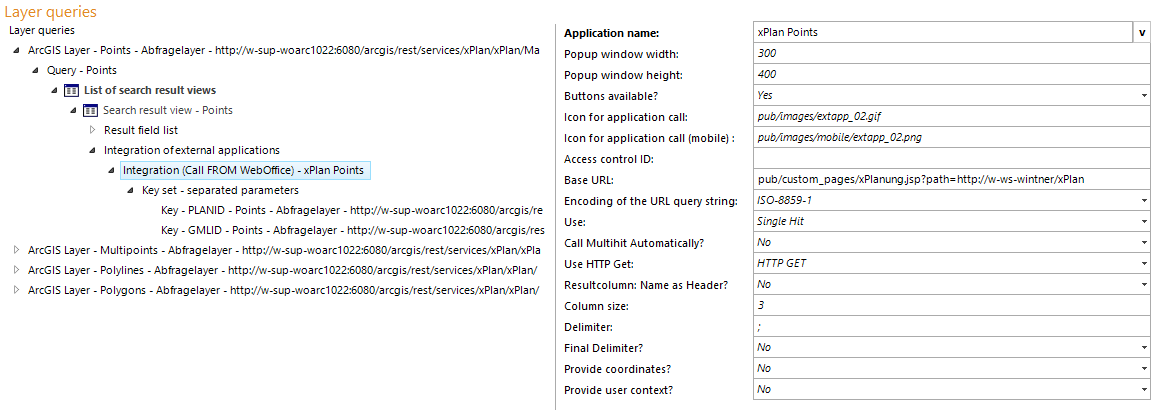
Integration (call from WebOffice) used to retrieve and display the xPlanung data
| • | 1.Key: PLANID (HTTP parameter name: PlanId) |
| • | 2.Key: GMLID (HTTP parameter name: GmlId) |
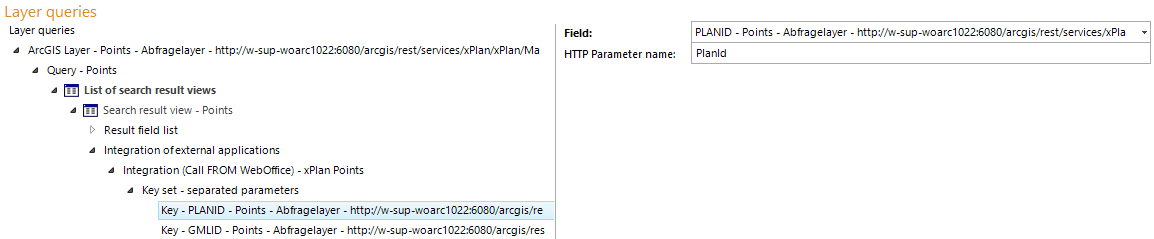
Key of separated parameters - PLANID, GMLID
Now it is possible to select features of the xPlanung layers and open hyperlinks that show the xPlanung data in the standardized form
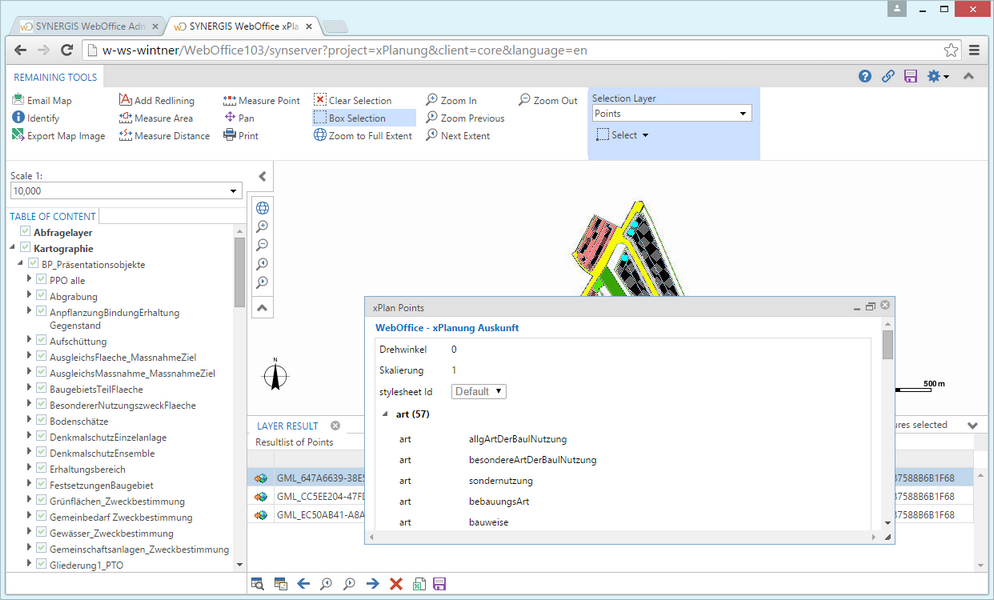
WebOffice - xPlanung Auskunft in the WebOffice core client