Dictionary - Features |
  
|
Dictionary - Features |
|
With the tab Dictionary you can add any data sources to your project. Likewise you can create relations to the data sources.
The selected data and relations can be subsequently implemented into the template by drag and drop.
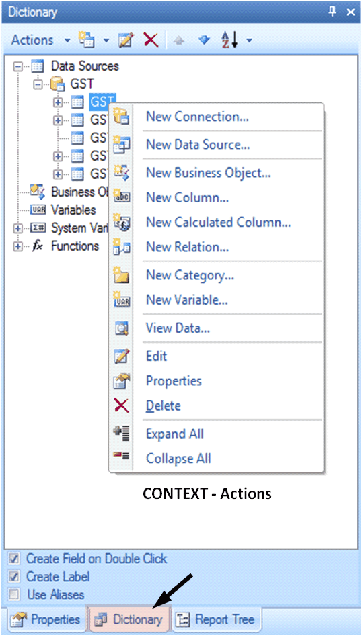
Tab Dictionary
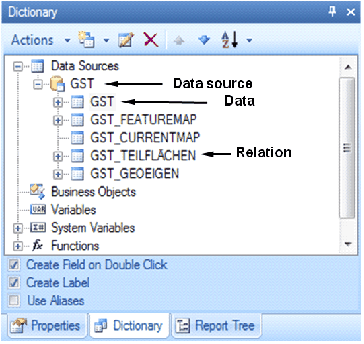
Dictionary at the example of GIS data
The various data sources of the connection are on the second level:
Data (table) |
The data table added to the project |
Relation (table) |
The relation is nothing else then a further table from the data source, in this case the table comes from the GIS data relation. The name of the relation for GIS data sources is composed of the name of the data source and the relation, e.g. GST_SUBAREAS. |
Current Map |
The current map is a map that can be inserted into the template as component. The current map is rendered with the scale currently set in the project and reflects the currently displayed section. |
Feature Map |
The feature map refers as opposed to the current map to a selected feature of the selected layer. Different scale settings can be defined for the feature map. |